
2002-2002 Cadillac Escalade EXT CURT Echo Bluetooth Mobile 7-Way Trailer Brake ControllerCURTOriginal price was $432.95. Current price is $289.95.In Stock
View productOur in-house experts typically reply within one business day.

CURT
Verify Fitment
Select your vehicle to confirm this part fits.
2002 Cadillac Escalade
Confirmed to Fit



Always the correct part
We know our products
Quality Products
Free Shipping!
Always the correct part
We know our products
Quality Products
Free Shipping!
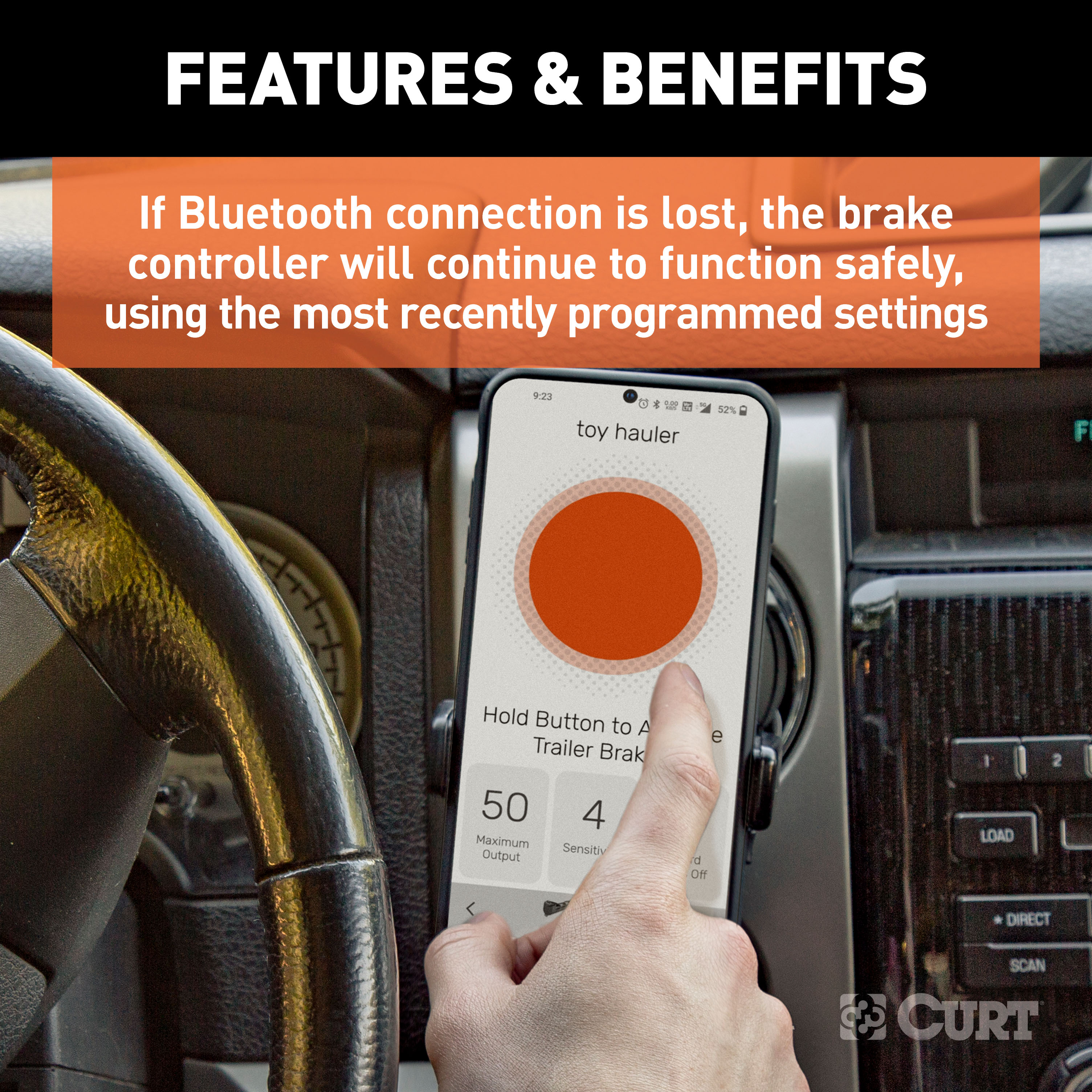
If Bluetooth connection is lost, the brake controller will continue to function safely, using the most recently programmed settings.
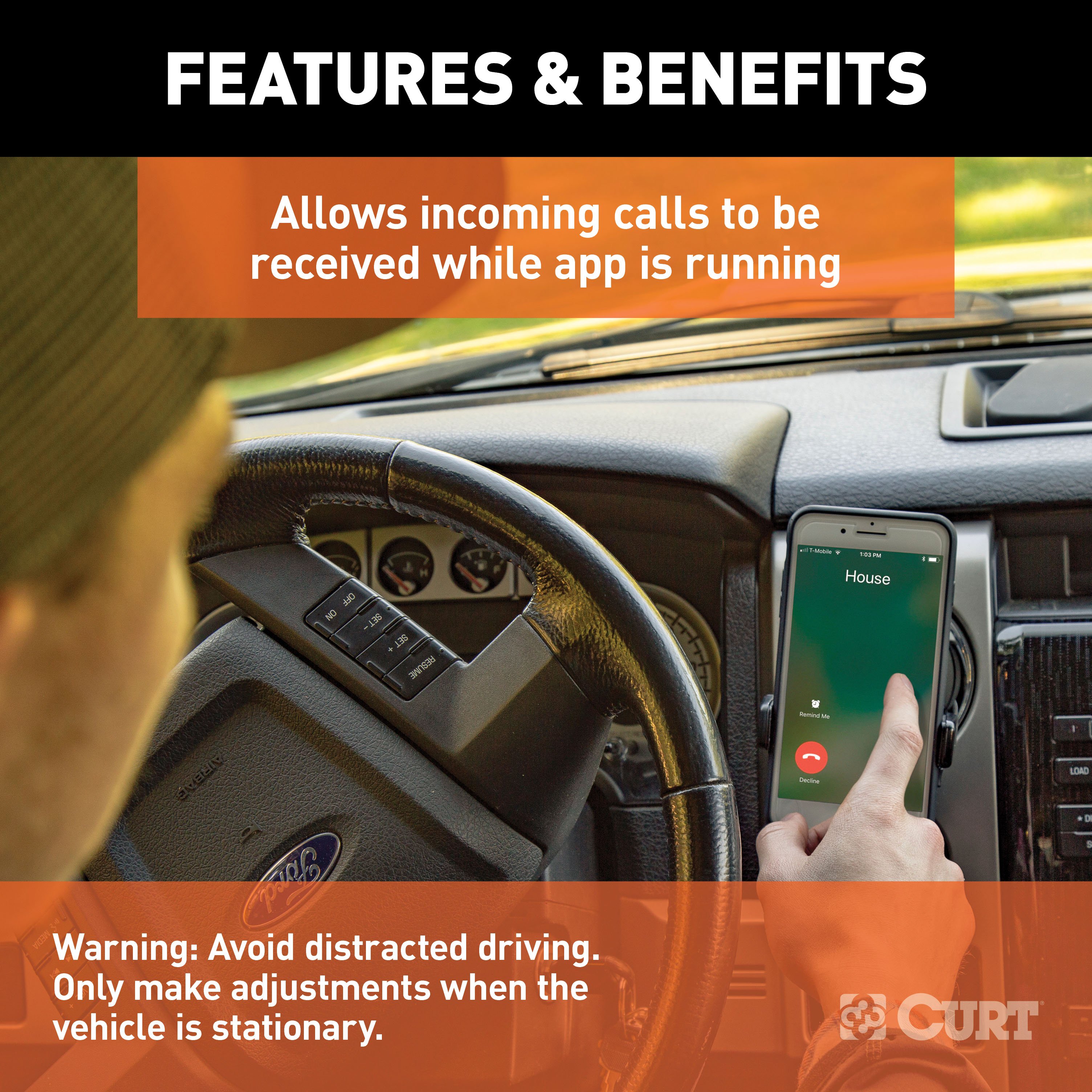
Warning: Avoid distracted driving. Only make adjustments when the vehicle is stationary.
Not compatible, but will not interfere, with Apple CarPlay or Android Auto

Warranty: Limited Lifetime
Finish: BLACK PLASTIC
Installation Time Exact (Minutes): 0
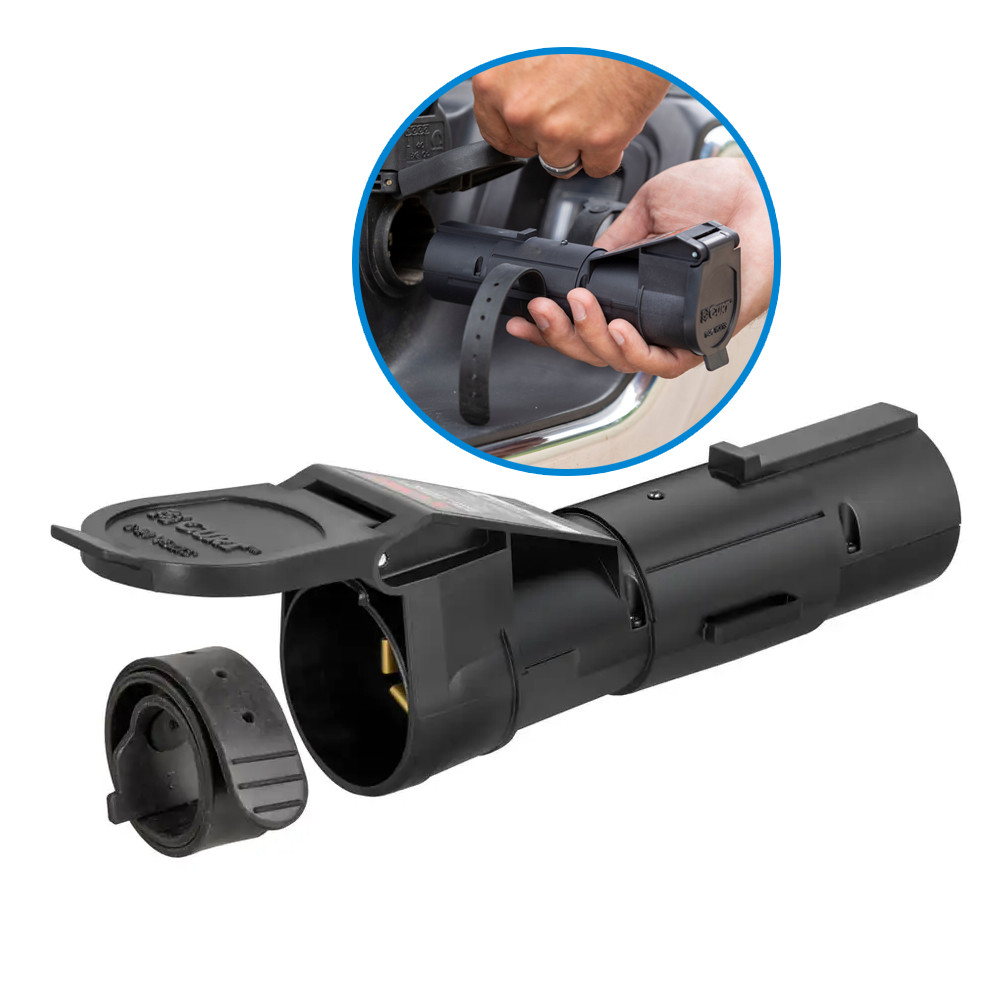
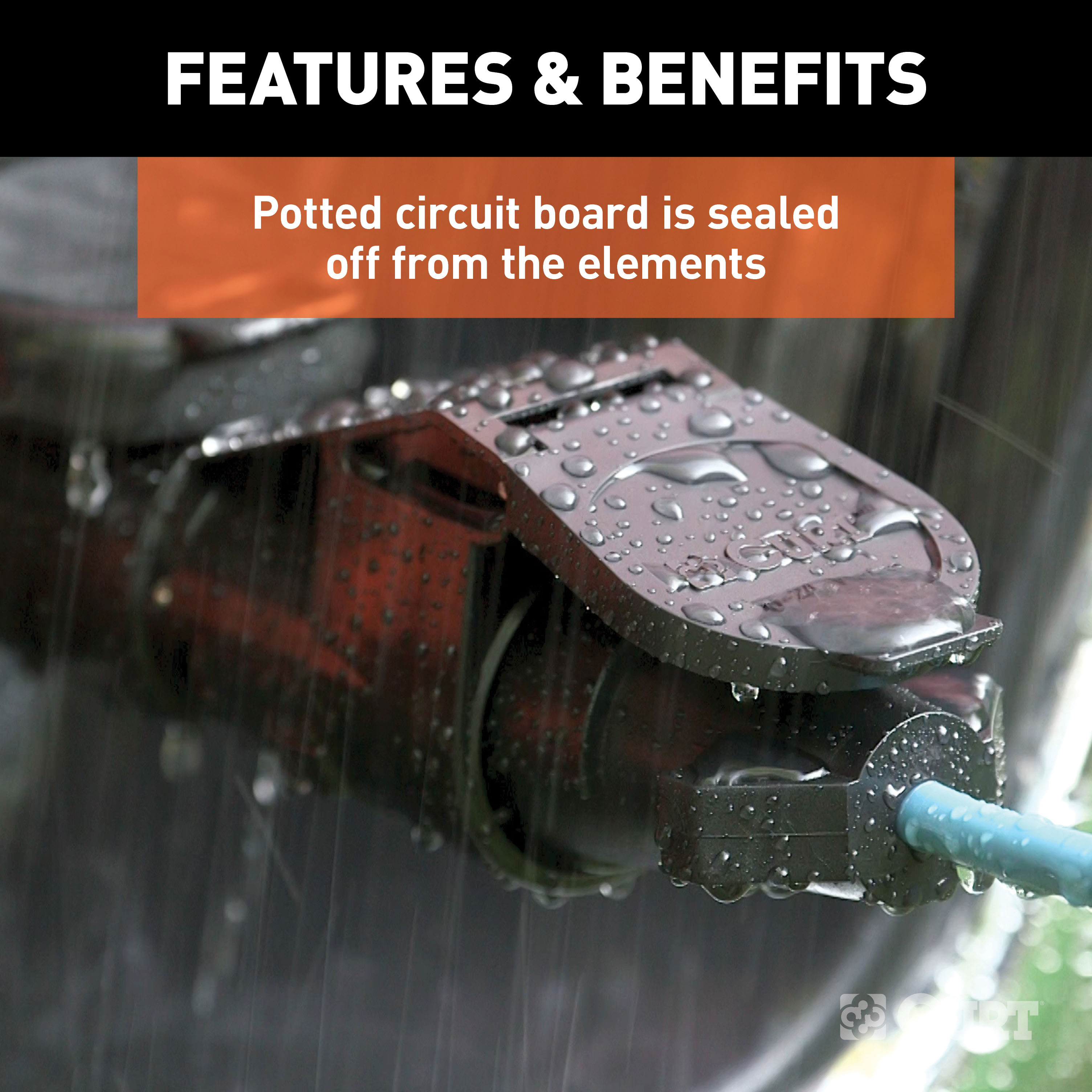
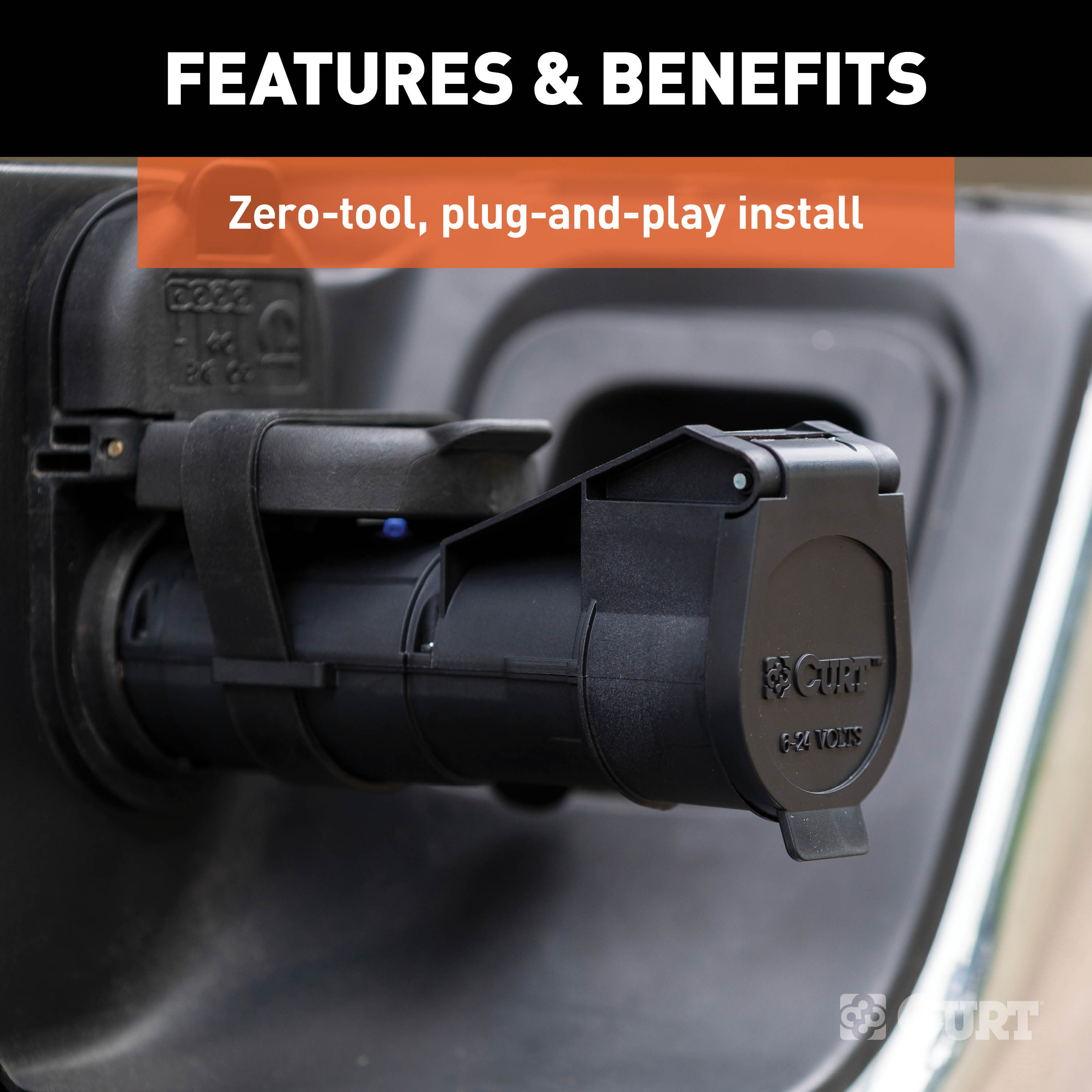
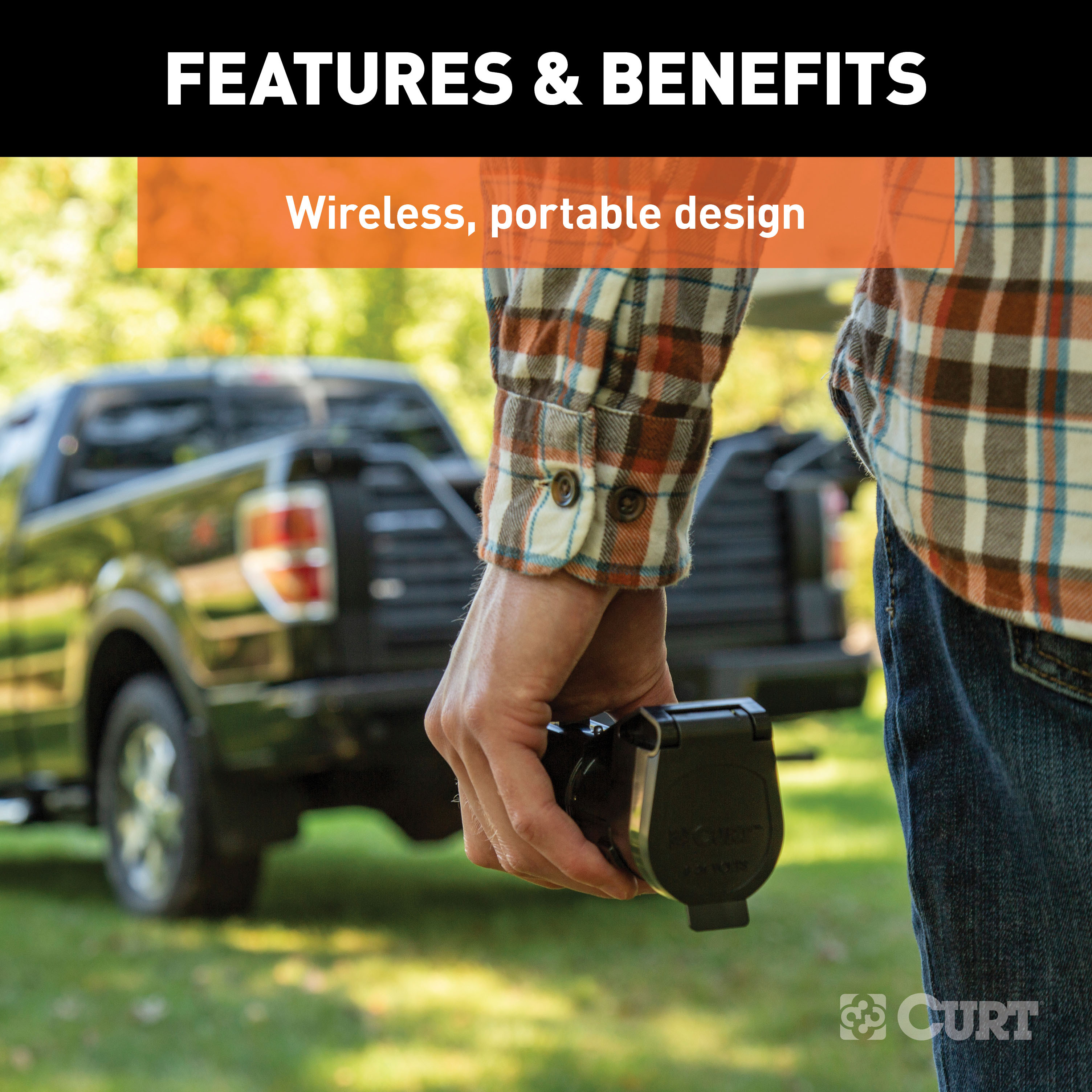
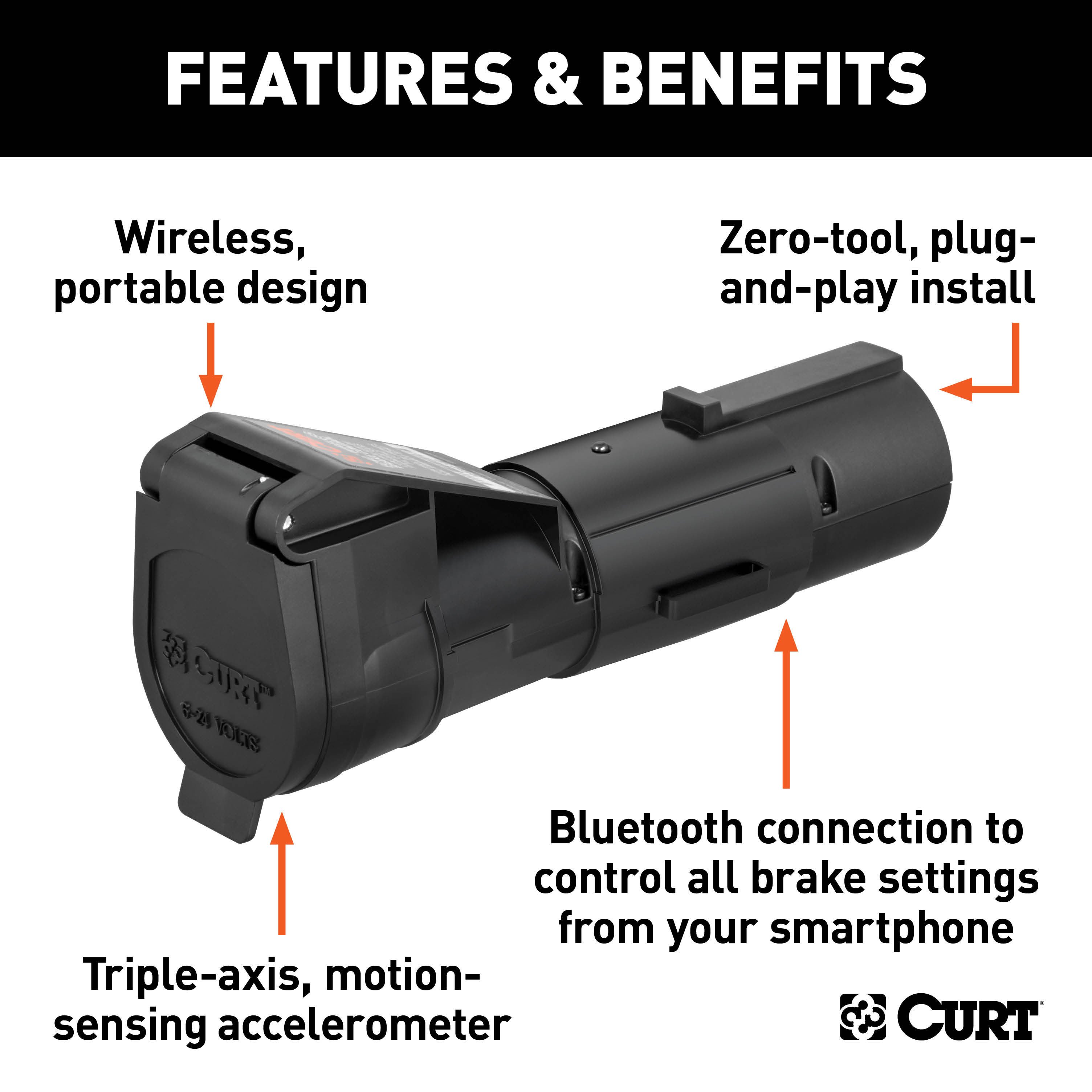
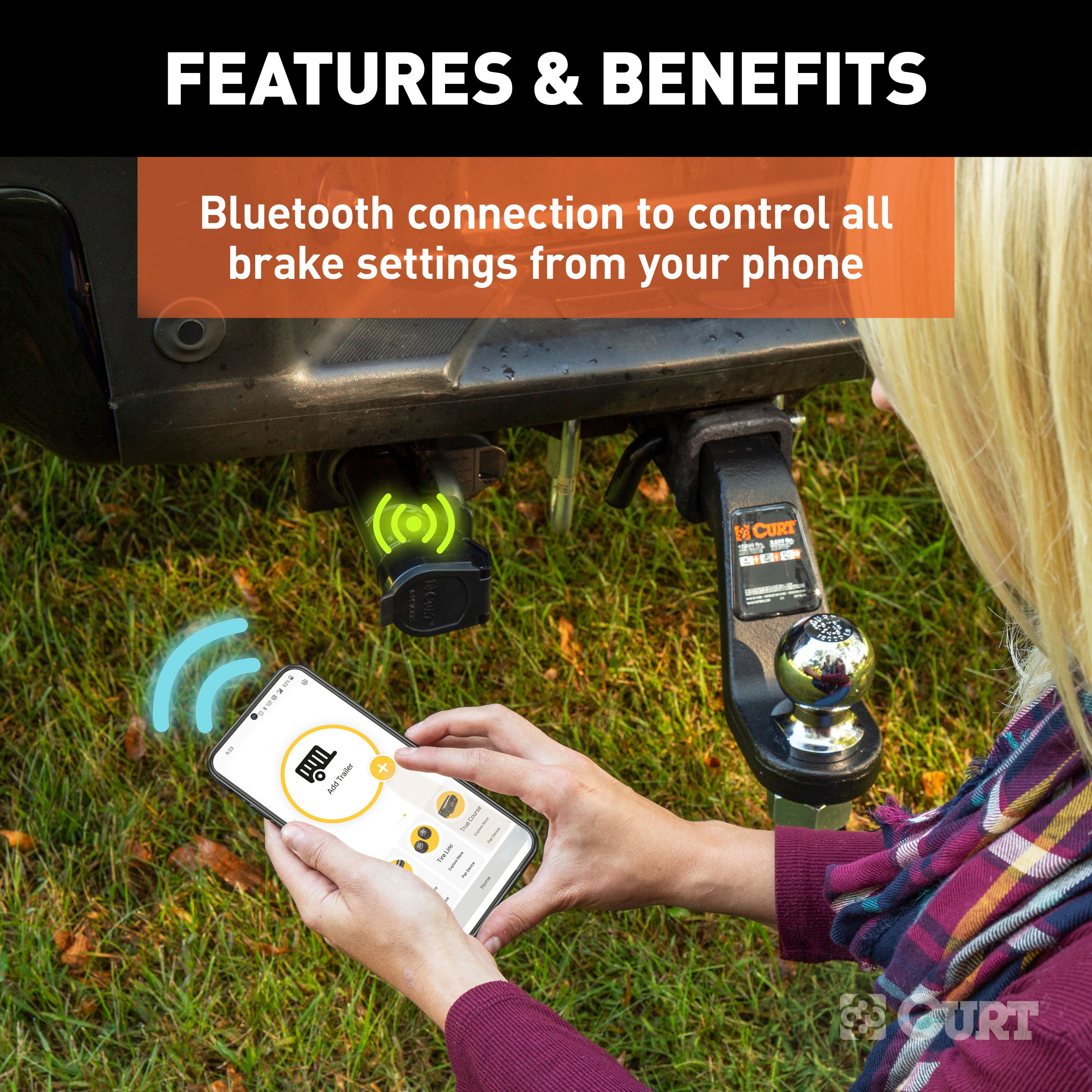
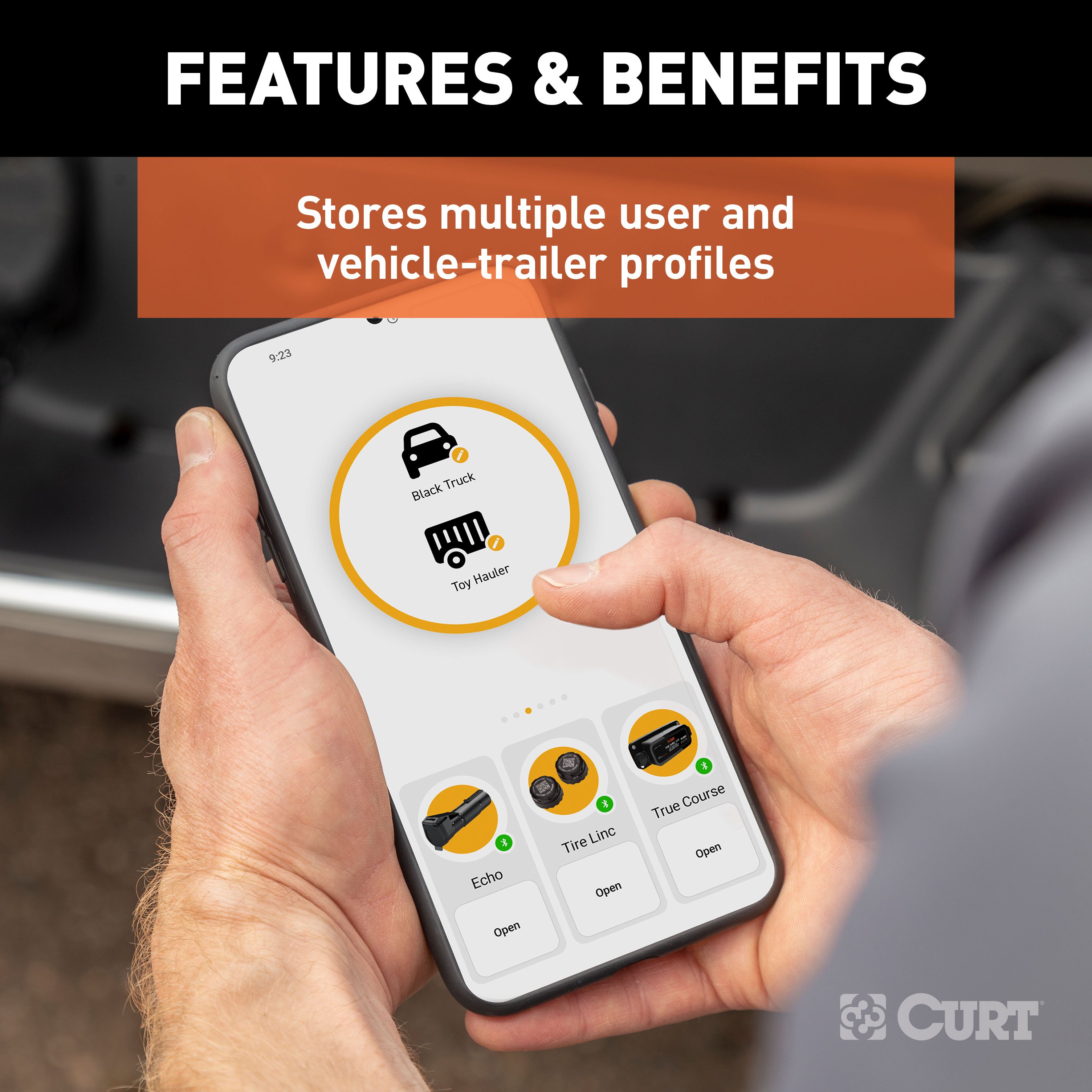
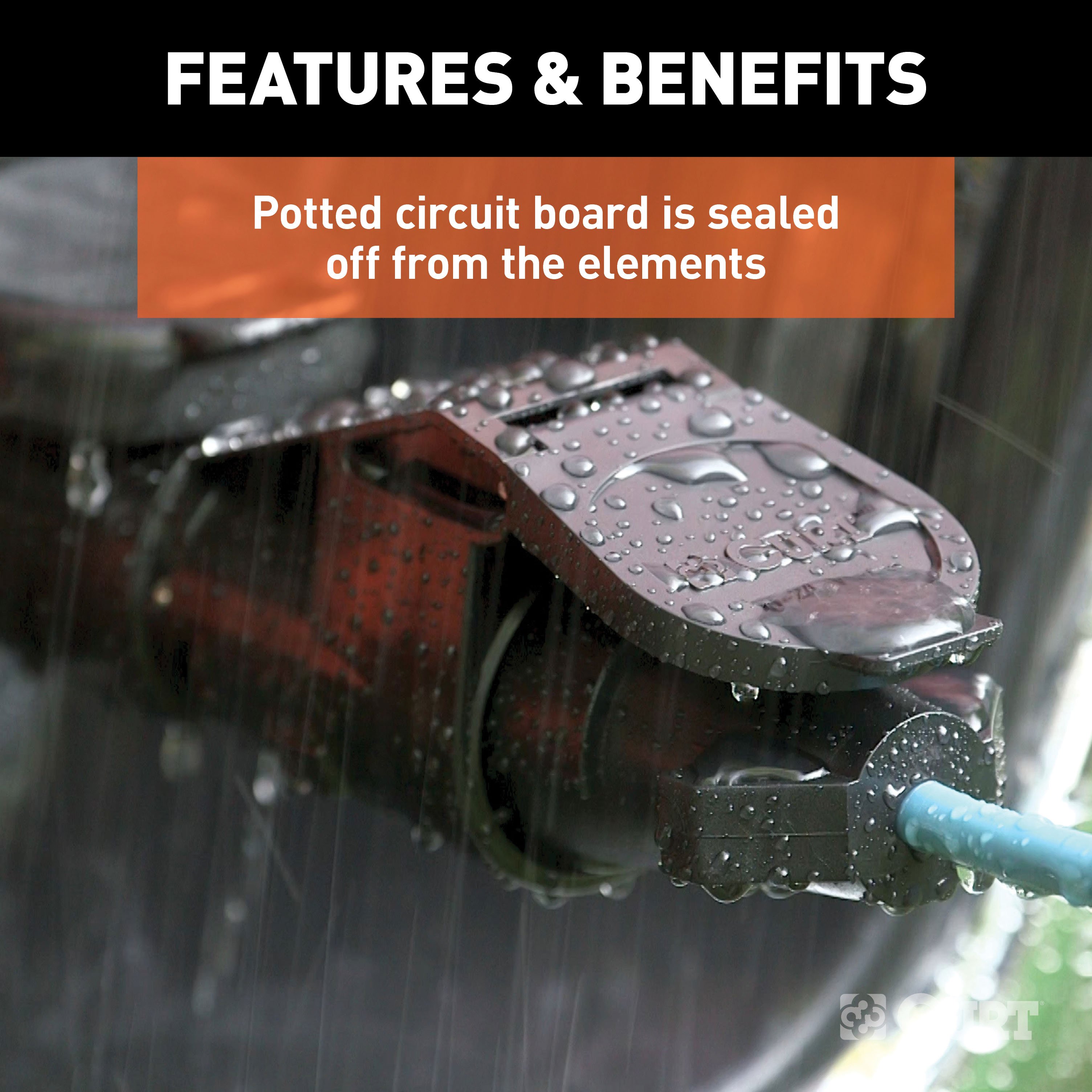
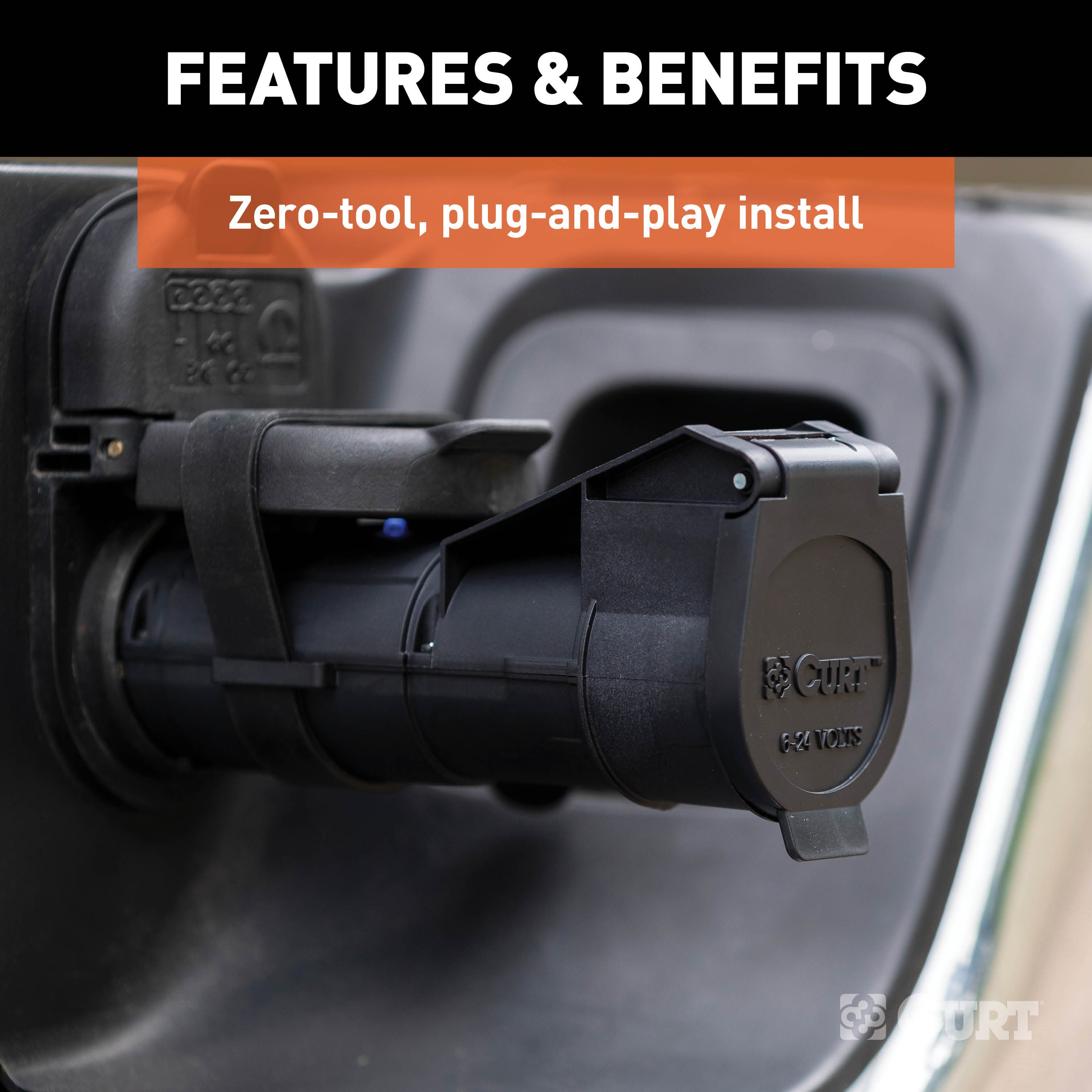
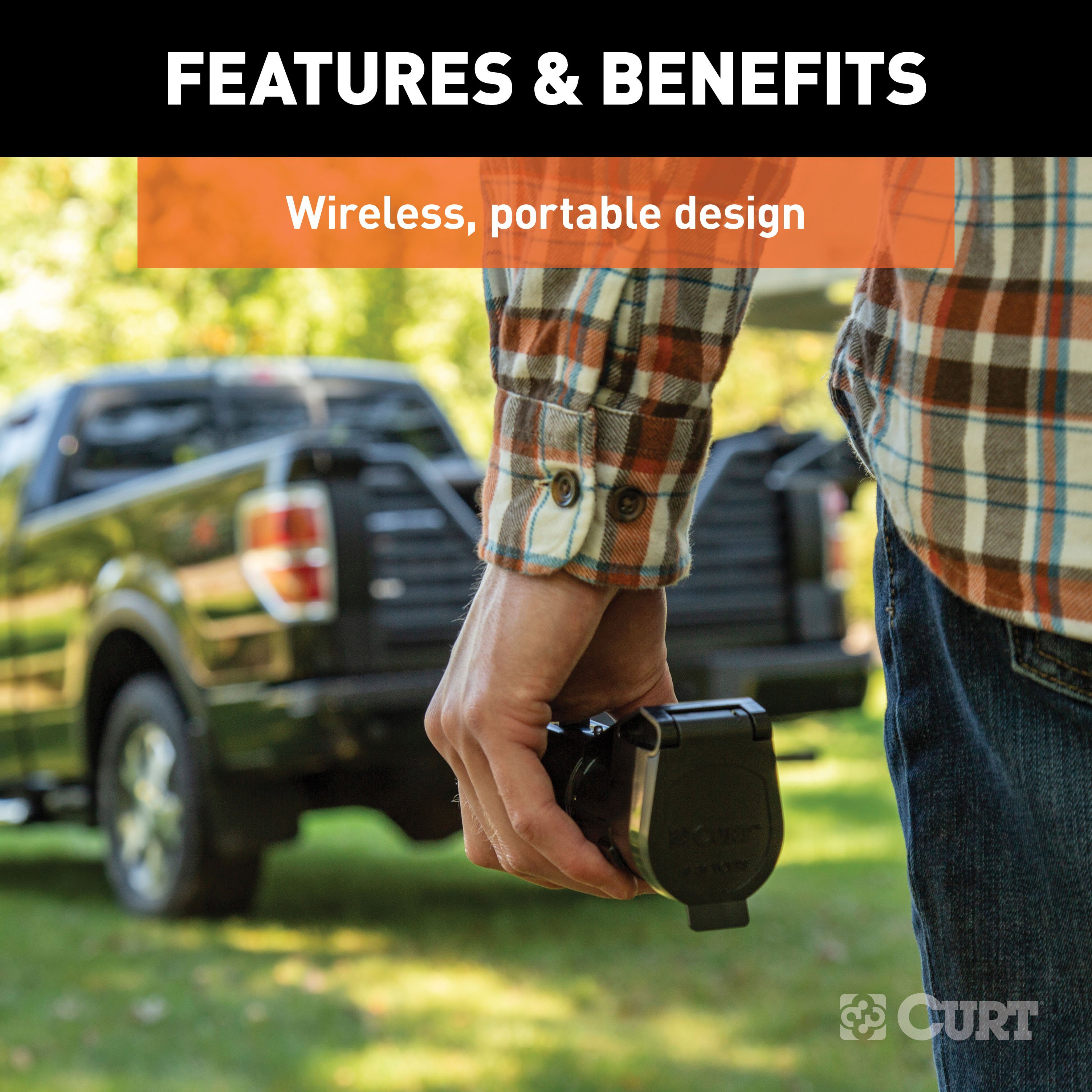
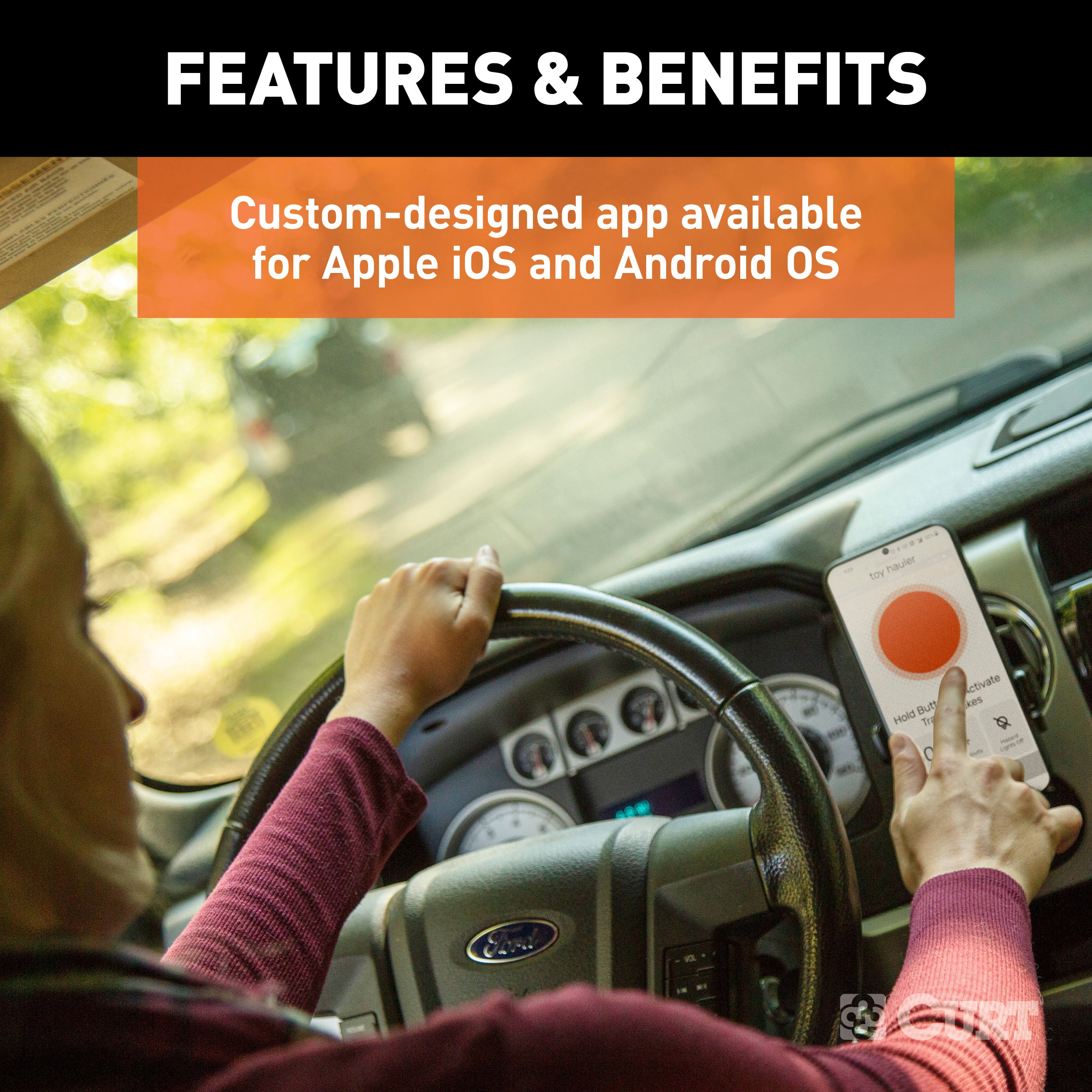
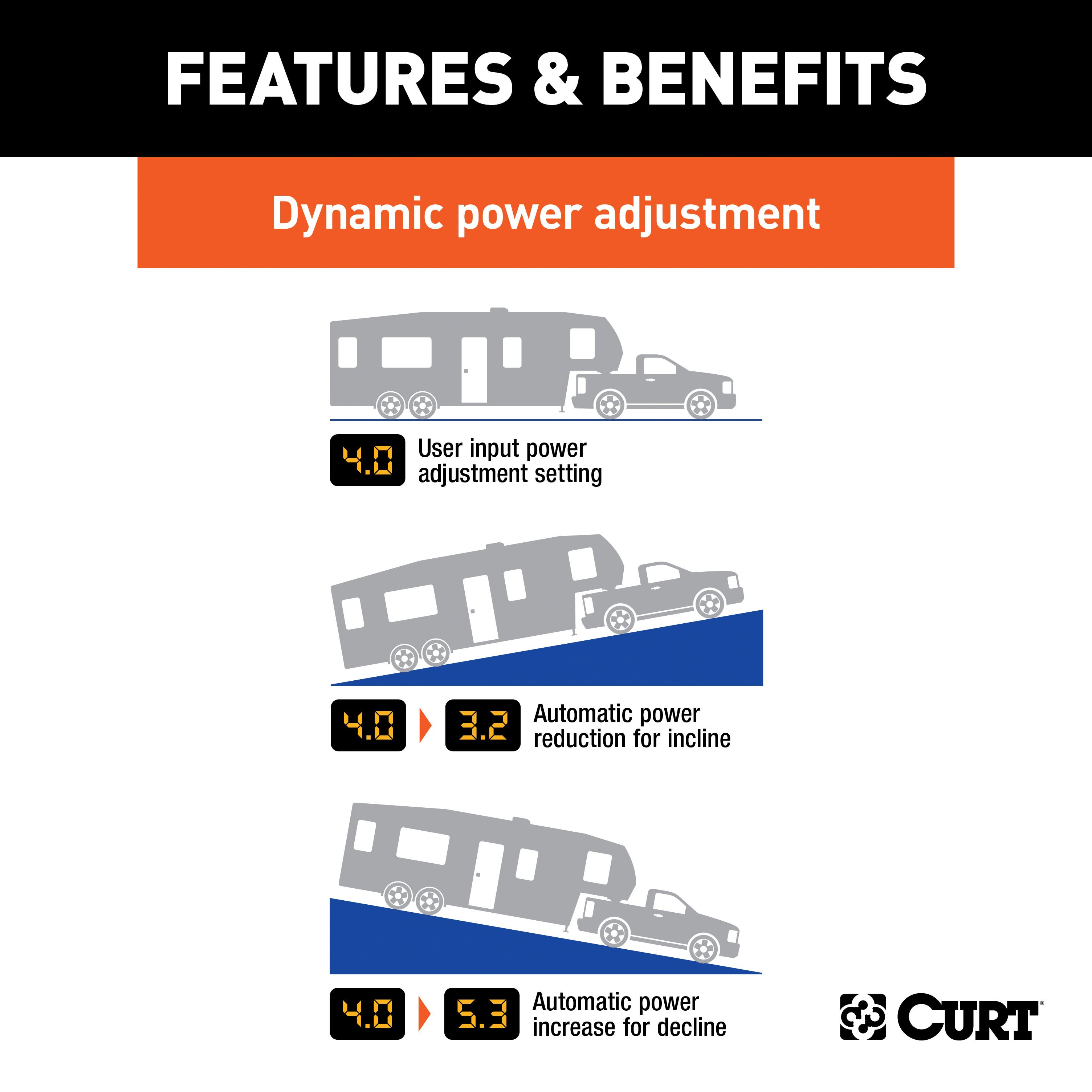
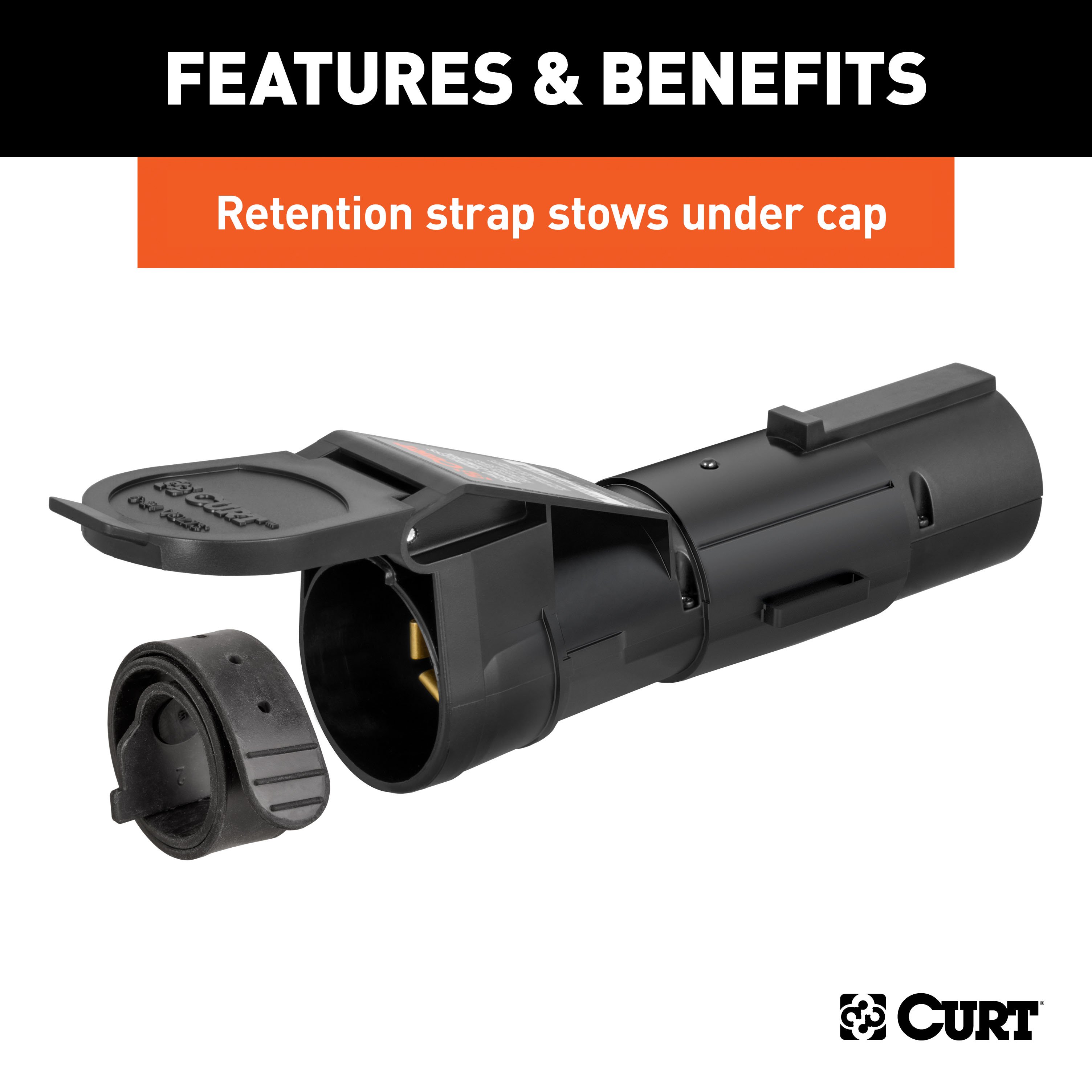
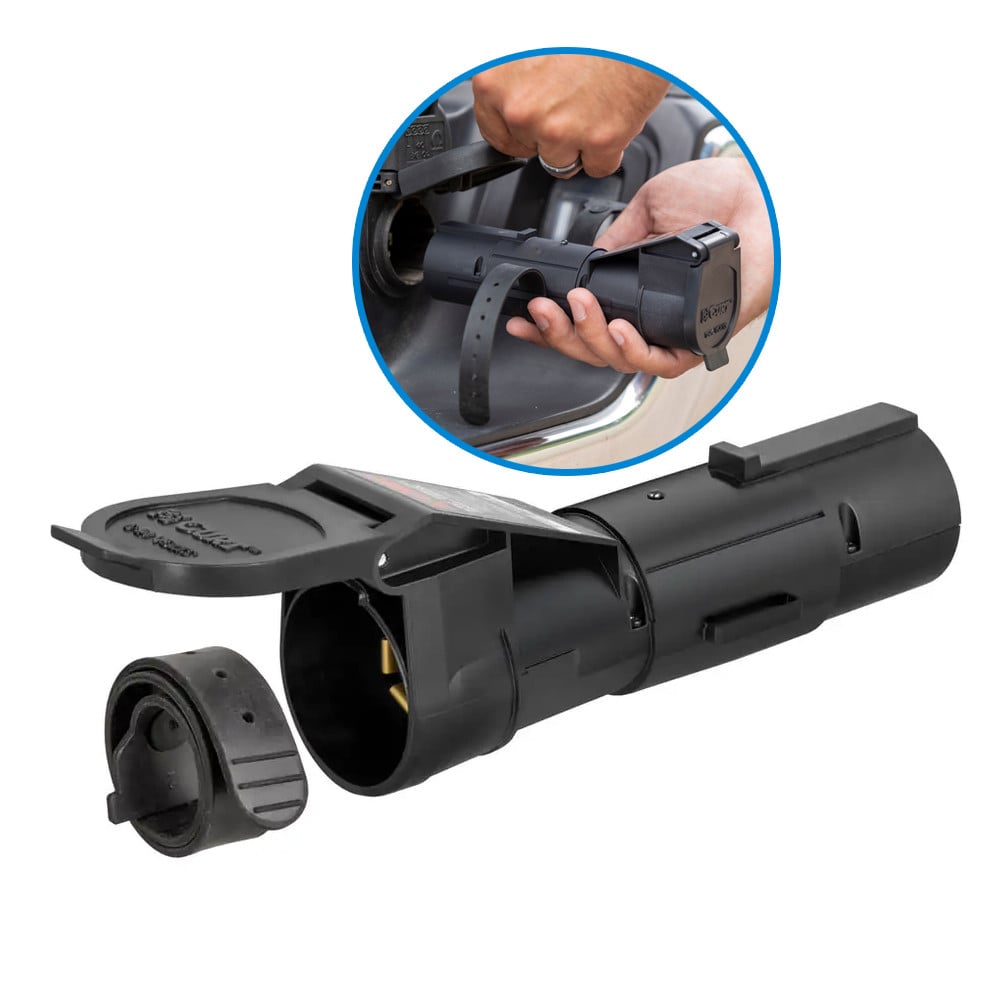
The CURT Echo mobile trailer brake controller is a Bluetooth enabled device that wirelessly connects to your smartphone and allows you to control and monitor all trailer brake activity right from your device. It features a simple, plug-and-play installation, a portable design to easily switch between vehicles and a highly durable construction to outlast the elements. The Echo brake controller brings your towing experience into the modern age. Powered by Bluetooth, it wirelessly connects to your smartphone without any extra wiring harnesses or modules required. Simply download the Smart Control app on your Apple iOS or Android OS device, plug the Echo into your vehicle and you're ready to start towing. The app allows you to create multiple vehicle-trailer profiles for different towing situations. Installing the Echo trailer brake controller is truly a plug-and-play experience. It is designed to insert in between the vehicle-trailer wiring connection and is compatible with any industry-standard 7-way RV blade plug. This design also allows the Echo to be easily transferred between vehicles, making it perfect for fleet vehicles or multiple-vehicle owners. The Echo mobile trailer brake controller is built to withstand the outdoor elements, whether you're towing through rain, snow or sunshine. It features a potted enclosure. This means the interior of the Echo is filled with an epoxy resin that covers the internal electronics and seals them off from dirt and moisture. This promotes long-lasting durability and also helps reduce vibration. To further enhance the connection, the connector port of the Echo is equipped with a retention strap and locking tab to firmly seat in the 7-way vehicle socket. The CURT Echo mobile brake controller operates with a tri-axis circuit for smooth stops going up or down a hill, and it is able to operate up to two to four trailer brakes at a time (one to two axles). It is also compatible with cruise control and ABS brakes.

CURT offers a variety of high-quality trailer hitches and accessories for select vehicle models. Find the perfect fit for your towing needs at TowUniverse.
CURT, a Lippert brand, offers a complete line of towing products and is the leading manufacturer of custom-fit trailer hitches. We offer the broadest selection of custom-fit hitches, and each one is designed, welded, and coated in Wisconsin.
CURT is also a leader in flat towing products, as well as 5th wheel, gooseneck, and weight distribution hitches, ball mounts, electrical components, cargo solutions, and other towing accessories.
For everything from passenger cars and vans to full-size pickups and SUVs, CURT is 'The First Name in Towing Products®.'
Experts available to answer your questions
Call 888-634-94941 compatible vehicles
| Year | Make & Model | Notes |
|---|---|---|
| 2002 | Cadillac Escalade | — |
Yes, the 2002-2002 Cadillac Escalade CURT Echo Bluetooth Mobile 7-Way Trailer Brake Controller (Part #51180-21) is designed to fit the 2002 Cadillac Escalade.
The 2002-2002 Cadillac Escalade CURT Echo Bluetooth Mobile 7-Way Trailer Brake Controller (Part #51180-21) fits the following vehicles: 2002 Cadillac Escalade. Always verify your specific year, make, and model before ordering.
The 2002-2002 Cadillac Escalade CURT Echo Bluetooth Mobile 7-Way Trailer Brake Controller (Part #51180-21) fits 2002 Cadillac Escalade models. The 2002 model year is the last year covered by this part number. For newer models, check for an updated version.
The 2002-2002 Cadillac Escalade CURT Echo Bluetooth Mobile 7-Way Trailer Brake Controller (Part #51180-21) Refer to the included instructions for installation details. Basic hand tools are typically all you need.
The Echo (part 51180) is a mobile brake controller that connects to your vehicle's 7-way trailer socket and allows you to control trailer brakes via the OneControl smartphone app. It provides both automatic braking synchronized with your vehicle's brakes and manual brake control through the app. The device communicates with your phone via Bluetooth up to 50 feet (subject to phone signal strength).
The Echo (51180) is designed for Ford F-150 (2015-2017) and Ford F-150 (2018 to Current). Compatibility depends on your vehicle having a 7-way trailer socket with +12V, ground, and turn signal connections. Some vehicles may require activation of tow/haul mode or load detection before the +12V output is activated on the 7-way connector.
No. An existing aftermarket or factory brake controller will not function if the Echo brake controller is installed. You must choose one or the other.
The OneControl app is not compatible with Apple CarPlay or Android Auto. However, it will not interfere with these features. The app must operate in the foreground of your phone's applications to function properly.
The OneControl app requires iOS 14 or higher for Apple devices, or Android 9.0 or higher for Android devices. Your phone must have Bluetooth capability enabled. The app is available in the App Store or Google Play by searching for 'OneControl Auto'.
The Echo unit includes a safety strap (located inside the cap), a button fastener for the strap, and a quick reference card with the six-digit PIN for app pairing. No special wiring or connectors are required for use.
The manual does not require battery disconnection for Echo installation. However, the vehicle must be running or the ignition in the 'ON' position with the vehicle in park during the Bluetooth setup process.
Your vehicle must have a 7-way trailer socket with +12V, ground, and turn signal connections. The fuse for the +12V connection must be rated for 30 amps. Check your vehicle owner's manual to locate the fuse. Some vehicles require activation of tow/haul mode or load detection before the +12V output is activated. Consult your vehicle owner's manual or CURT Product Support if your vehicle has a trailering app or towing prep package.
1. Install the safety strap on the Echo unit (remove button fastener, slide strap through clasp, insert button fastener facing outward). 2. Insert Echo into the vehicle's 7-way socket using the plug's alignment notch and slot to properly orient it. 3. Wrap the safety strap around the 7-way cover and pin to secure. 4. The LED will flash blue when properly installed. 5. Complete Bluetooth pairing with the app. 6. Only after pairing is complete, plug the trailer's 7-way connector into the Echo using proper alignment. The LED will flash yellow during calibration (5-8 seconds), then turn solid green when calibrated. Plugging the trailer in before completing vehicle setup may result in improper calibration and inconsistent braking.
1. Enable Bluetooth on your mobile device. 2. Open the OneControl app and follow on-screen prompts to register and log in. 3. Select 'Pair Device' under the Echo brake icon on the home screen. 4. Grant location permissions and enable device location. 5. The app will scan for the Echo device; select it when visible. 6. Enter the six-digit PIN found under the Echo's cap or on the quick reference card. 7. Select 'Connect' to complete pairing. You will receive a pairing successful notification and the LED will turn solid blue. Note: Pairing happens within the app, not in the phone's Bluetooth settings menu.
Flashing blue: Device not paired, no trailer connected. Solid blue: Device paired, no trailer connected. Flashing yellow: Calibrating Echo. Flashing green: Device not paired, trailer connected. Solid green: Device paired, trailer connected. Flashing red: Wiring error. Solid red: Hardware fault. No light: No power. If the LED is red at any time during setup, stop and refer to the Troubleshooting Guide.
The LED will flash yellow for five to eight seconds while calibration occurs. Once calibration is complete, the LED will turn solid green, indicating the device is ready to use.
The Echo uses the 7-way connector's +12V connection to power the brakes and shares this power with the trailer. The fuse for this connection must be rated for 30 amps. If the LED does not light when plugged into the 7-way connector, the +12V power pin may not have power from the vehicle. Some vehicles turn off the +12V output to the 7-way connector when in park or during gear shifting. In these cases, visit a CURT authorized installer to install a dedicated power wire to the battery.
If the LED does not light, the +12V power pin may not have power from the vehicle. Check vehicle power and ground wiring. Some vehicles require a trailer to be connected to detect a load and activate the +12V power. If a trailer is not available, the CURT 7-way tester #58272 may be used to complete setup or troubleshoot. If the issue persists, visit a CURT authorized installer to install a power wire to the battery.
No. No special wiring or connectors are required for use. The Echo plugs directly into your vehicle's existing 7-way trailer socket.
Do not mount the Echo near the exhaust pipe. Failure to do so may result in heat damage, loss of functionality, and risk of fire. The Echo should be mounted in a location where it will not be exposed to excessive heat.
Avoid distracted driving. Only make adjustments when the vehicle is stationary. Adhere to all applicable traffic laws and motor vehicle safety regulations, including laws prohibiting handheld device use while operating a vehicle. The OneControl app must operate in the foreground of your phone's applications; operating it in the background may cause delays in braking response when using the manual override button. Prior to driving, test all trailer lights while the trailer is plugged into the Echo.
The Echo is designed to provide a Bluetooth connection, without obstruction, up to 50 feet. Connection may also be limited by the Bluetooth signal of your phone.
Prior to driving, test all trailer lights while the trailer is plugged into the Echo to ensure proper operation.
After pairing the Echo with the app, you will be directed to create a Controller Profile for your trailer. You can create and save profiles for multiple vehicles, trailers, and load conditions. In the Active Profile, you can adjust the Max Output (maximum brake power available) and Sensitivity Level (braking aggressiveness). You can also enable the Vehicle Hazard Lights toggle to prevent brake pulsing when hazard lights are active. Settings configuration is required when trailer conditions change or if the brake controller is used for a different trailer or vehicle.
Adjustments must only be made while stopped, with transmission in park or neutral, parking brake applied, foot off the brake pedal, and no manual control actuation. Perform tests in a safe environment (parking lot or minimal traffic area). Starting with output adjustment: drive forward on a dry, level paved or concrete surface at approximately 25 mph and apply the vehicle's brakes. If trailer braking is insufficient, increase max output in the app. If trailer brakes lock up, decrease max output. Repeat until stops are firm, just short of lock up. Once output is set, adjust sensitivity by driving at approximately 25 mph and pressing the brake pedal. The vehicle and trailer should make a smooth stop. If the stop seems slow, increase sensitivity. If too aggressive, decrease sensitivity. Make several stops at various speeds and adjust until stops are smooth and firm. This process must be repeated if there are changes to weather/road conditions or significant changes in trailer weight or towing setup.
Clean and store the Echo in a safe, dry place when not in use. We recommend applying dielectric grease to the terminals to protect them from corrosion.
A solid red LED for more than 10 seconds indicates a hardware fault. Contact CURT Product Support for assistance.
A flashing red LED indicates a wiring error. Possible causes and solutions: 1. Contamination in trailer plug socket—check for clean and dry trailer plug. 2. Short in trailer brake wiring—locate and correct the short. 3. Accelerometer error—unplug the brake controller and plug it back in. 4. Short or overload in trailer brakes—troubleshoot the trailer brake circuit per brake manufacturer's instructions.
Possible causes and solutions: 1. No power to brake controller or no ground on vehicle 7-way—check Echo LED status for power and confirm vehicle and trailer 7-way connections. 2. Invalid Bluetooth PIN—input the PIN from the label under the Echo's cap or the quick reference card. 3. Bluetooth not enabled or permissions not granted—enable Bluetooth on your phone and grant location permissions to the app. 4. Smartphone compatibility issue—verify your phone has iOS 14+ or Android 9.0+. 5. Bluetooth connection error—select the trailer profile, tap the Echo device name, then tap the trash can icon to remove it. In your phone's OS Settings, go to Bluetooth connections and 'forget the device', then try pairing again.
Possible causes and solutions: 1. Mis-wired 7-way connector or improper/corroded trailer wiring—confirm vehicle and trailer 7-way connections are correct and clean. 2. Weak or missing ground—confirm vehicle and trailer 7-way connections. 3. Loss of trailer connection, unplugged, or bad wiring—confirm vehicle and trailer 7-way connections. 4. Wireless connectivity error—check Bluetooth and application settings. If the app also signals 'disconnect', the trailer connection may be lost; confirm all 7-way connections.
Possible causes and solutions: 1. Weak or missing ground—confirm vehicle and trailer 7-way connections. 2. Improper max power or sensitivity settings—check Bluetooth and application settings and increase max power or sensitivity settings as needed. 3. Improper or corroded trailer wiring—confirm vehicle and trailer 7-way connections.
The app signals 'low voltage' when the vehicle battery voltage is low. Check the vehicle battery and replace it if needed. Also confirm vehicle 7-way connections and wiring are secure.
The app signals 'overload' when the trailer brakes are overloaded. Solutions: 1. Reconnect the trailer connector. 2. Confirm vehicle 7-way connections and wiring. 3. Check trailer brake wiring for short circuits.
If a communication error occurs between the app and the brake controller, condition notifications from the controller will not be sent to the app. However, the brake controller will continue to function properly at the most recently programmed settings and braking operation will not be affected.
If the trailer brakes are on all the time and the LED is red, the 7-way trailer connector is mis-wired. Confirm vehicle and trailer 7-way connections are correct.
Yes, the Echo fits Ford F-150 (2015-2017) and F-150 (2018 to Current) models with a 7-way trailer socket. Your vehicle must have +12V, ground, and turn signals connected to the socket. Some vehicles require tow/haul mode activation before the Echo will power up.
The Echo includes a safety strap and button fastener. You need a smartphone with iOS 14+ or Android 9.0+, Bluetooth enabled, and the OneControl app installed. No special tools, wiring, or connectors are required.
No permanent modifications are required. The Echo plugs directly into your vehicle's existing 7-way trailer socket. However, if your vehicle turns off the +12V output when in park or during gear shifting, a CURT authorized installer must install a dedicated power wire to the battery.
1. Install the safety strap on the Echo unit. 2. Insert Echo into the vehicle's 7-way socket. 3. Secure the strap around the 7-way cover. 4. Pair the Echo with the OneControl app via Bluetooth. 5. Only after pairing is complete, plug the trailer's 7-way connector into the Echo. The LED will flash yellow during calibration (5-8 seconds), then turn solid green.
The fuse for the 7-way connector's +12V connection must be rated for 30 amps. Check your vehicle owner's manual to locate the fuse.
No. Output and sensitivity adjustments must only be made while the vehicle is stopped, with transmission in park or neutral, parking brake applied, foot off the brake pedal, and no manual control actuation. Only make adjustments in a safe environment such as a parking lot.
After the trailer is plugged into the Echo, the LED will flash yellow for 5-8 seconds during calibration. Once calibration is complete, the LED will turn solid green, indicating the device is ready to use.
Clean and store the Echo in a safe, dry place when not in use. Apply dielectric grease to the terminals to protect them from corrosion. Repeat the test drive and adjustment process if there are changes to weather/road conditions or significant changes in trailer weight.
Problem: No power to brake controller or no ground on vehicle 7-way. Solutions: 1. Check vehicle power and ground wiring. 2. Some vehicles require a trailer to be connected to detect a load and activate the +12V power. If a trailer is not available, use the CURT 7-way tester #58272 to complete setup or troubleshoot. 3. Some vehicles turn off the +12V output when in park or during gear shifting. If this is the case, visit a CURT authorized installer to install a power wire to the battery.
The Echo is calibrating. This is normal. The LED will flash yellow for 5-8 seconds after the trailer's 7-way connector is plugged into the Echo. Once calibration is complete, the LED will turn solid green.
Problem: Wiring error. Possible causes and solutions: 1. Contamination in trailer plug socket—check for clean and dry trailer plug. 2. Short in trailer brake wiring—locate and correct the short. 3. Accelerometer error—unplug the brake controller and plug it back in. 4. Short or overload in trailer brakes—troubleshoot the trailer brake circuit per brake manufacturer's instructions.
Problem: Hardware fault. Solution: Contact CURT Product Support for assistance. You will need the serial number located on the label of your Echo brake controller.
Problem: Multiple possible causes. Solutions: 1. No power to brake controller or no ground on vehicle 7-way—check Echo LED status for power and confirm vehicle and trailer 7-way connections. 2. Invalid Bluetooth PIN—input the PIN from the label under the Echo's cap or the quick reference card. 3. Bluetooth not enabled or permissions not granted—enable Bluetooth on your phone and grant location permissions to the app. 4. Smartphone compatibility issue—verify your phone has iOS 14+ or Android 9.0+. 5. Bluetooth connection error—select the trailer profile, tap the Echo device name, then tap the trash can icon to remove it. In your phone's OS Settings, go to Bluetooth connections and 'forget the device', then try pairing again.
Problem: Multiple possible causes. Solutions: 1. Mis-wired 7-way connector or improper/corroded trailer wiring—confirm vehicle and trailer 7-way connections are correct and clean. 2. Weak or missing ground—confirm vehicle and trailer 7-way connections. 3. No or intermittent power to controller—check Echo LED status and confirm vehicle 7-way connections. 4. Wireless connectivity error—check Bluetooth and application settings.
Problem: Loss of trailer connection, unplugged, or bad wiring. Solution: Confirm vehicle and trailer 7-way connections are secure and properly seated.
Problem: Multiple possible causes. Solutions: 1. Mis-wired 7-way connector or improper/corroded trailer wiring—confirm vehicle and trailer 7-way connections are correct and clean. 2. No or intermittent power to controller—check Echo LED status and confirm vehicle 7-way connections. 3. Weak or missing ground—confirm vehicle and trailer 7-way connections. 4. Wireless connectivity error—check Bluetooth and application settings.
Problem: Multiple possible causes. Solutions: 1. Weak or missing ground—confirm vehicle and trailer 7-way connections. 2. Improper max power or sensitivity settings—check Bluetooth and application settings and increase max power or sensitivity settings as needed. 3. Improper or corroded trailer wiring—confirm vehicle and trailer 7-way connections.
Problem: Mis-wired 7-way trailer connector. Solution: Confirm vehicle and trailer 7-way connections are correct.
Problem: Low battery voltage. Solutions: 1. Check the vehicle battery and replace it if needed. 2. Confirm vehicle 7-way connections and wiring are secure.
Problem: Trailer brakes are overloaded. Solutions: 1. Reconnect the trailer connector. 2. Confirm vehicle 7-way connections and wiring. 3. Check trailer brake wiring for short circuits.
On Sale Today
Original price was $432.95. Current price is $289.95.You save $143.00 (33%)
Free Shipping
Ships free on all orders
 Authorized Dealer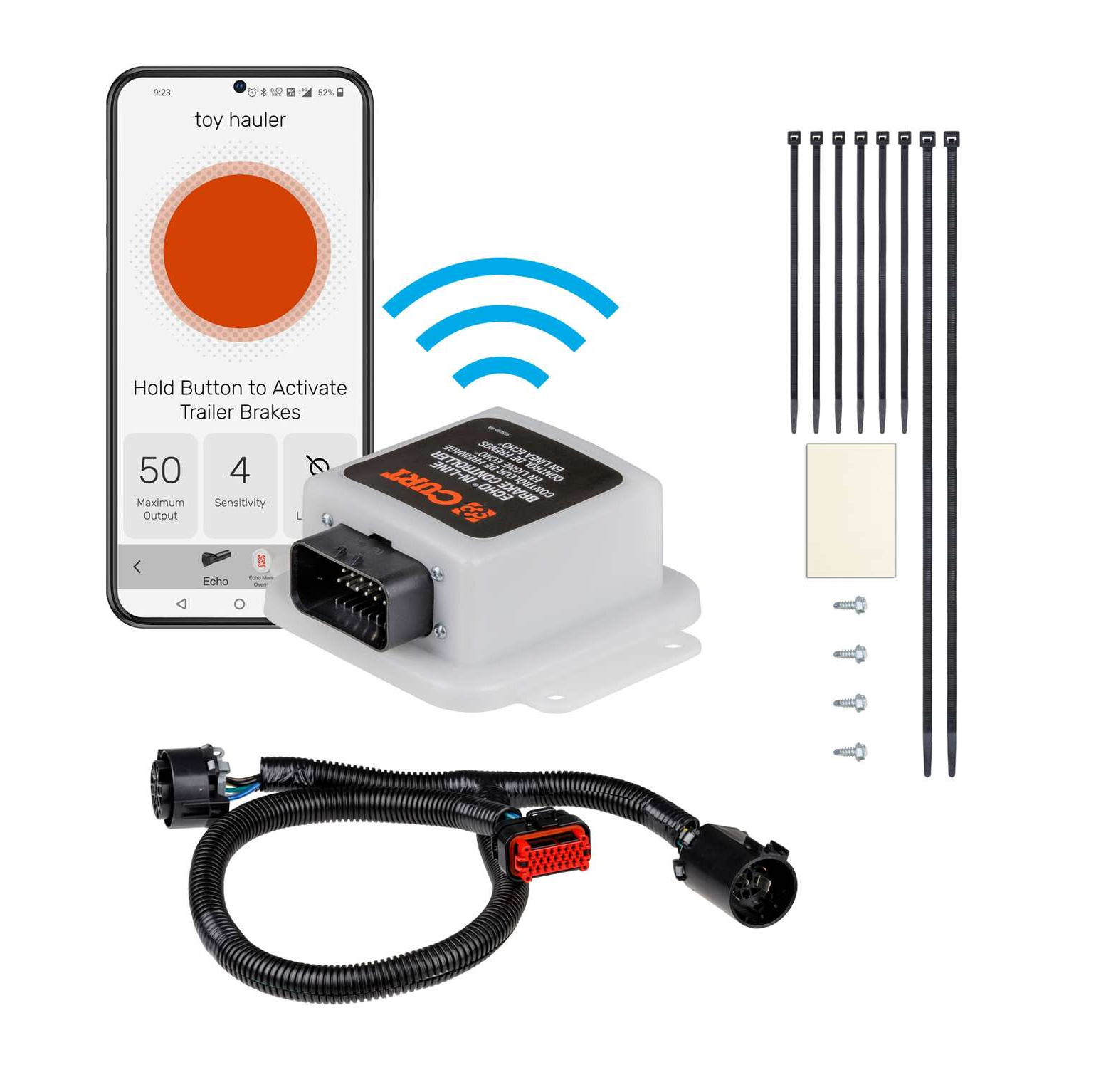


Quick Ship
In stock and ready to ship — order now!
FREE ShippingFREE SHIPPING
Estimated delivery Wed, Sep 23 - Sat, Sep 26
Order before 2 PM EST Monday–Friday for same-day processing
Guaranteed safe & secure checkout
No reviews have been added for this product.