
2022-2024 Ford F-150 Lightning CURT Echo Bluetooth Mobile 7-Way Trailer Brake ControllerCURTOriginal price was $432.95. Current price is $289.95.In Stock
View productOur in-house experts typically reply within one business day.

CURT
Verify Fitment
Select your vehicle to confirm this part fits.
2022 - 2024 Ford F-150 Lightning
Confirmed to Fit





Always the correct part
We know our products
Quality Products
Free Shipping!
Always the correct part
We know our products
Quality Products
Free Shipping!
Compatible with Echo manual override button #51189 (sold separately) for hands-free driving
If Bluetooth connection is lost, the brake controller will continue to function safely, using the most recently programmed settings. Not compatible, but will not interfere, with Apple CarPlay or Android Auto.
Warning: Avoid distracted driving. Only make adjustments when the vehicle is stationary.

Warranty: One-Year Limited Warranty
Finish: Blank
Installation Time Exact (Minutes): 0
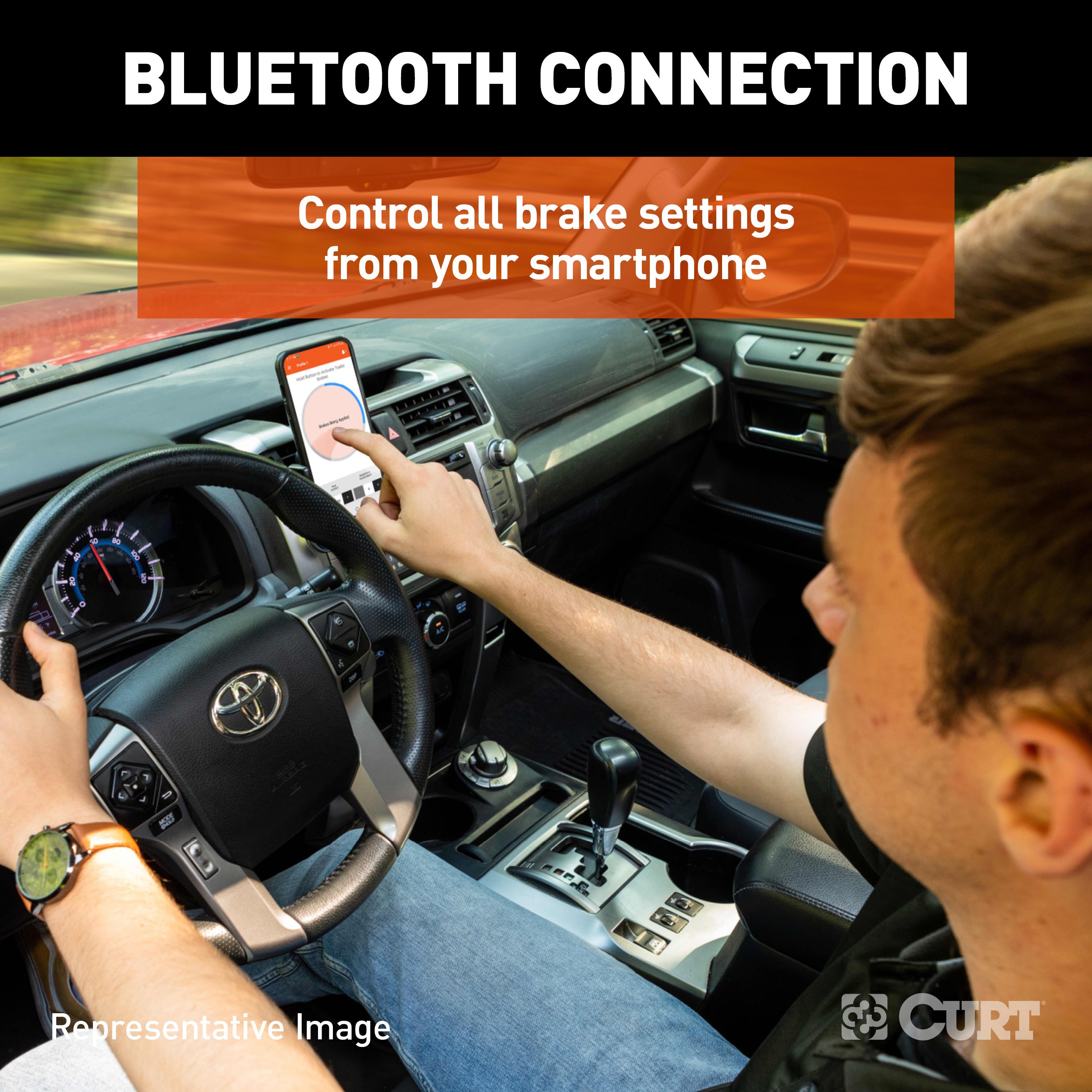
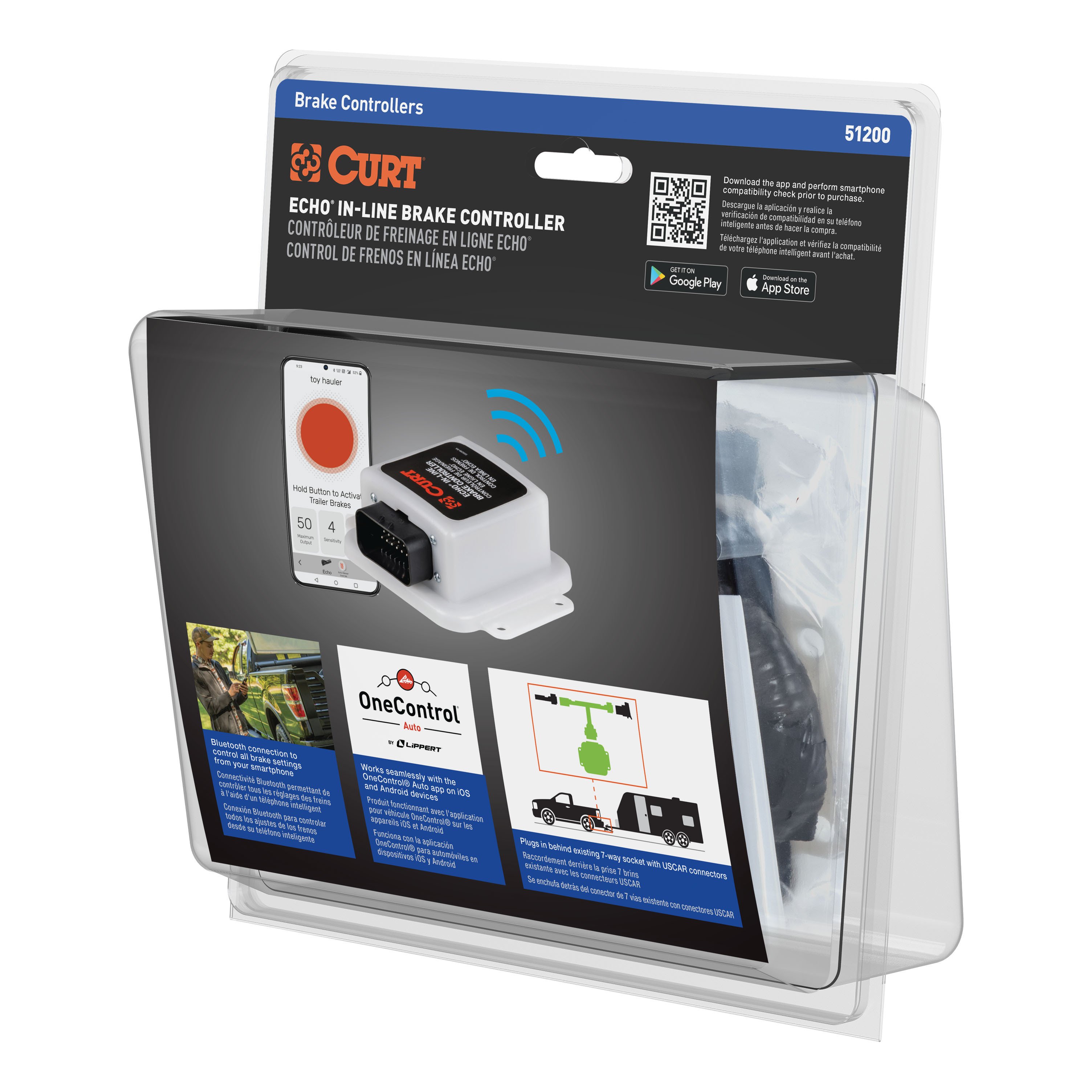
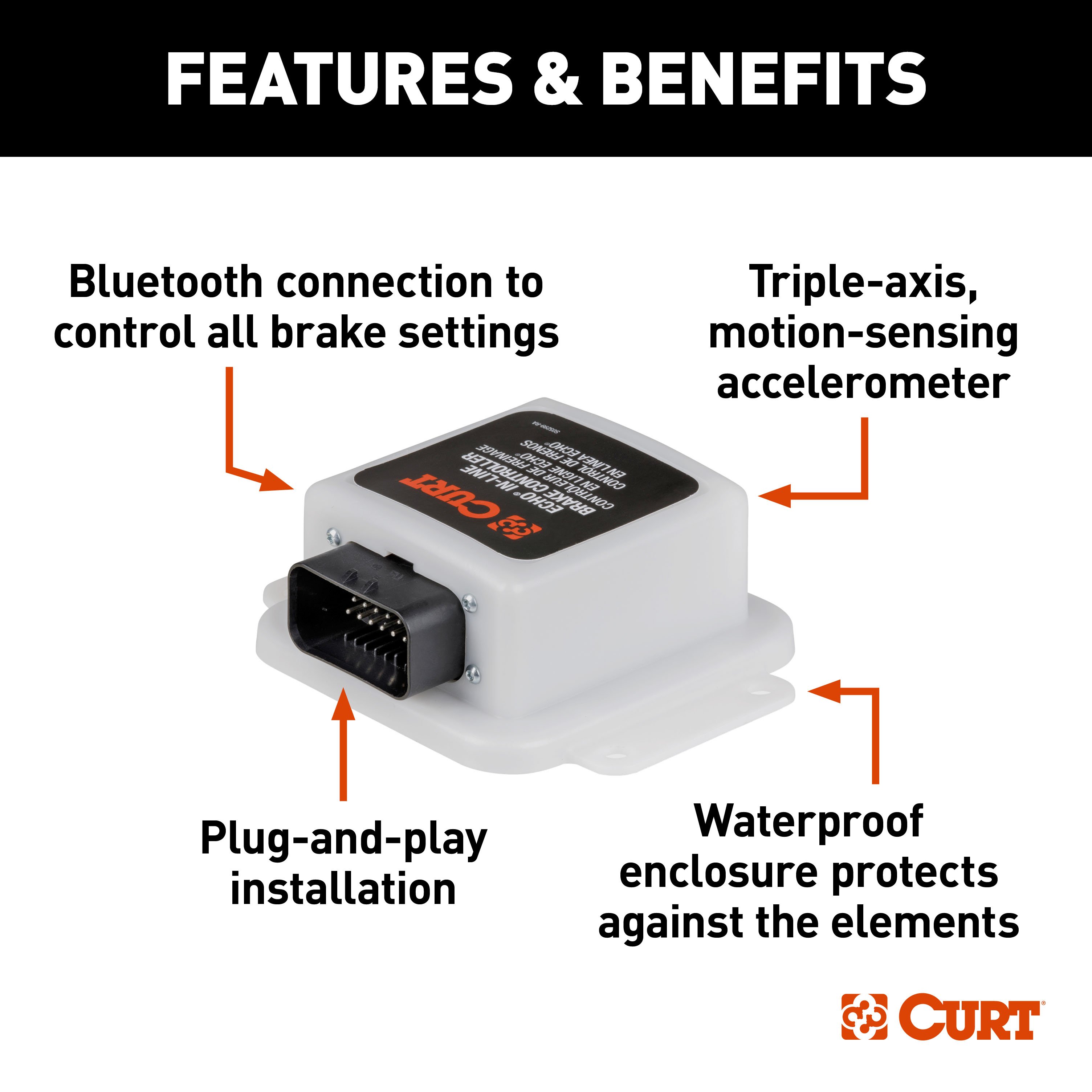
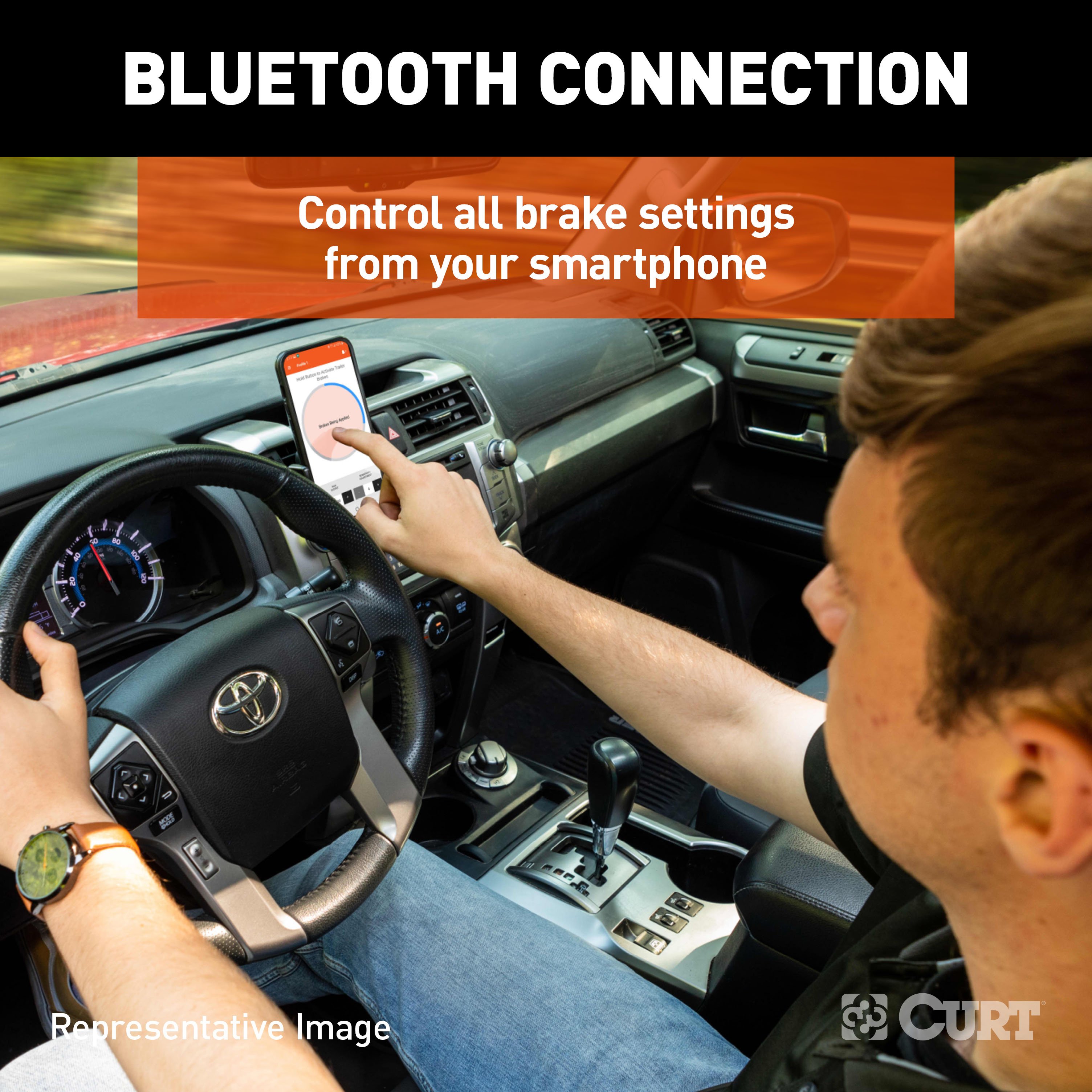
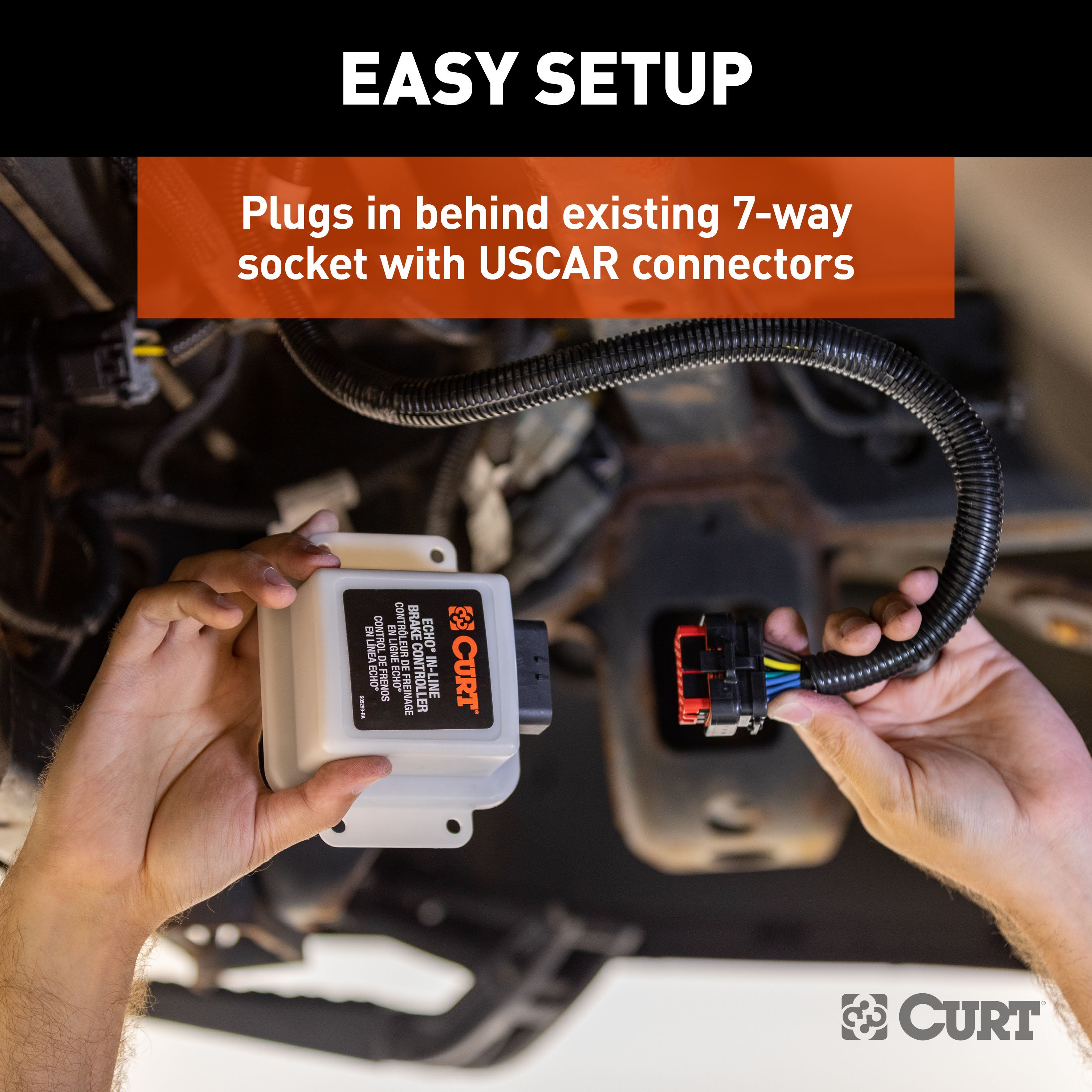
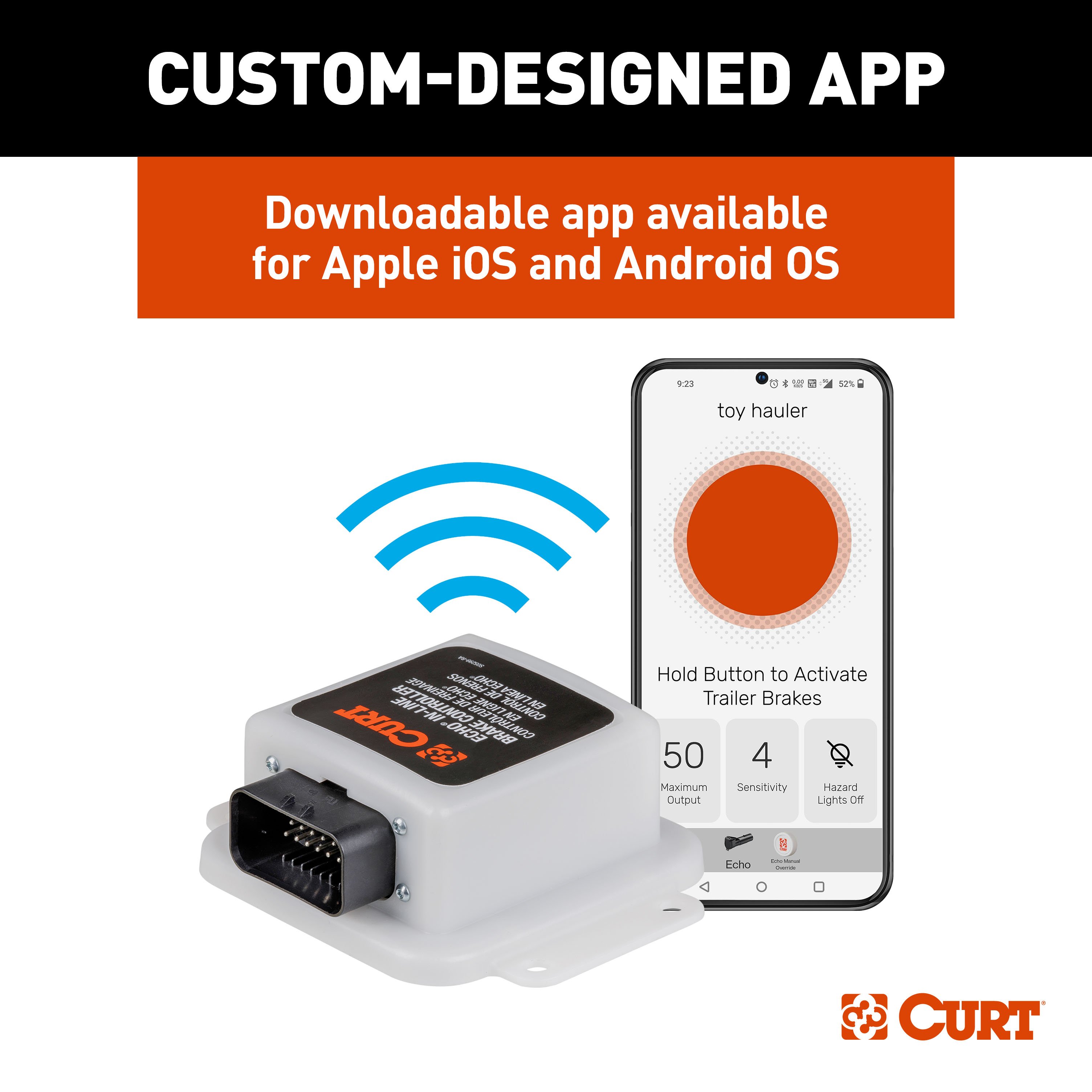
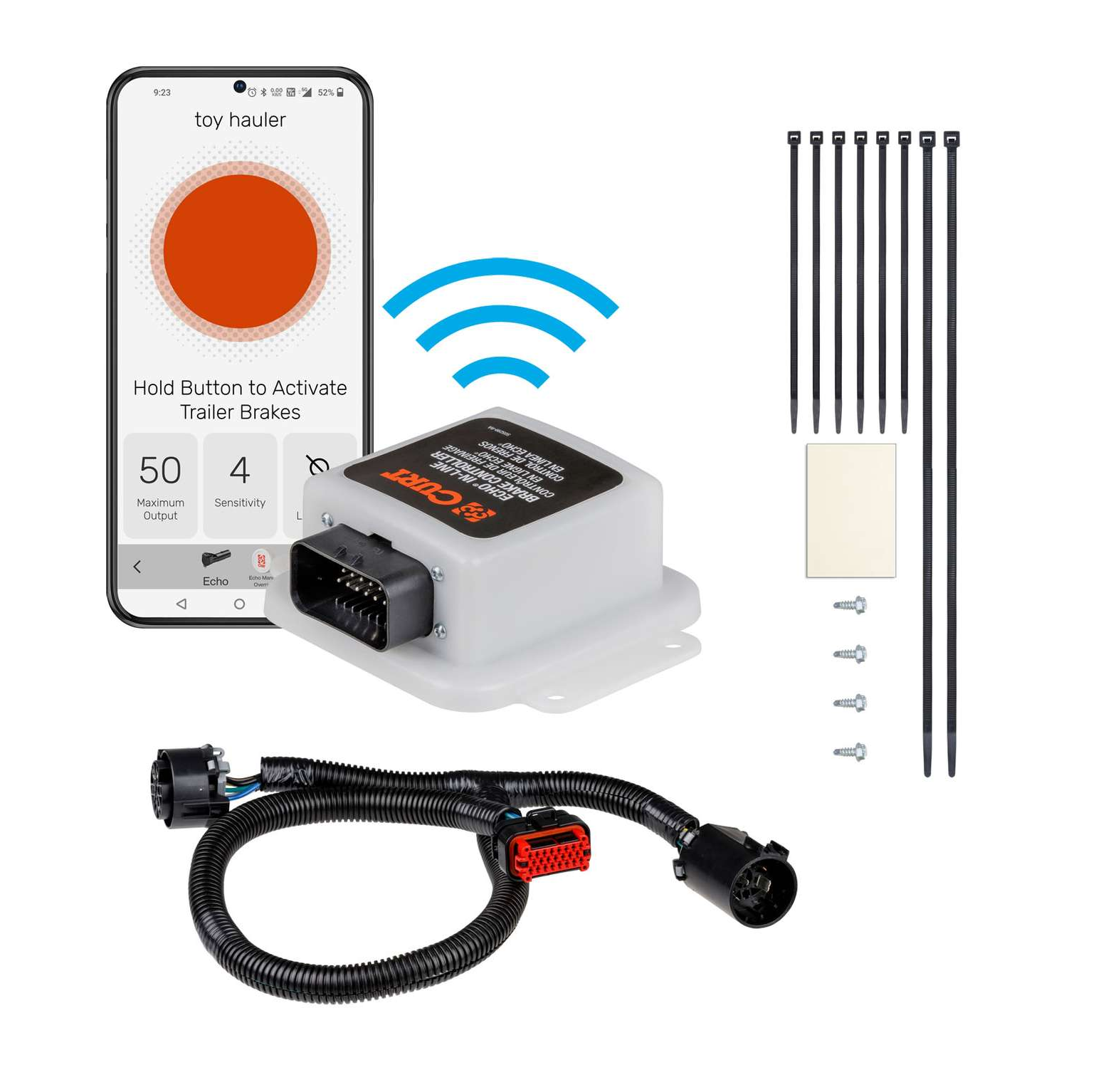
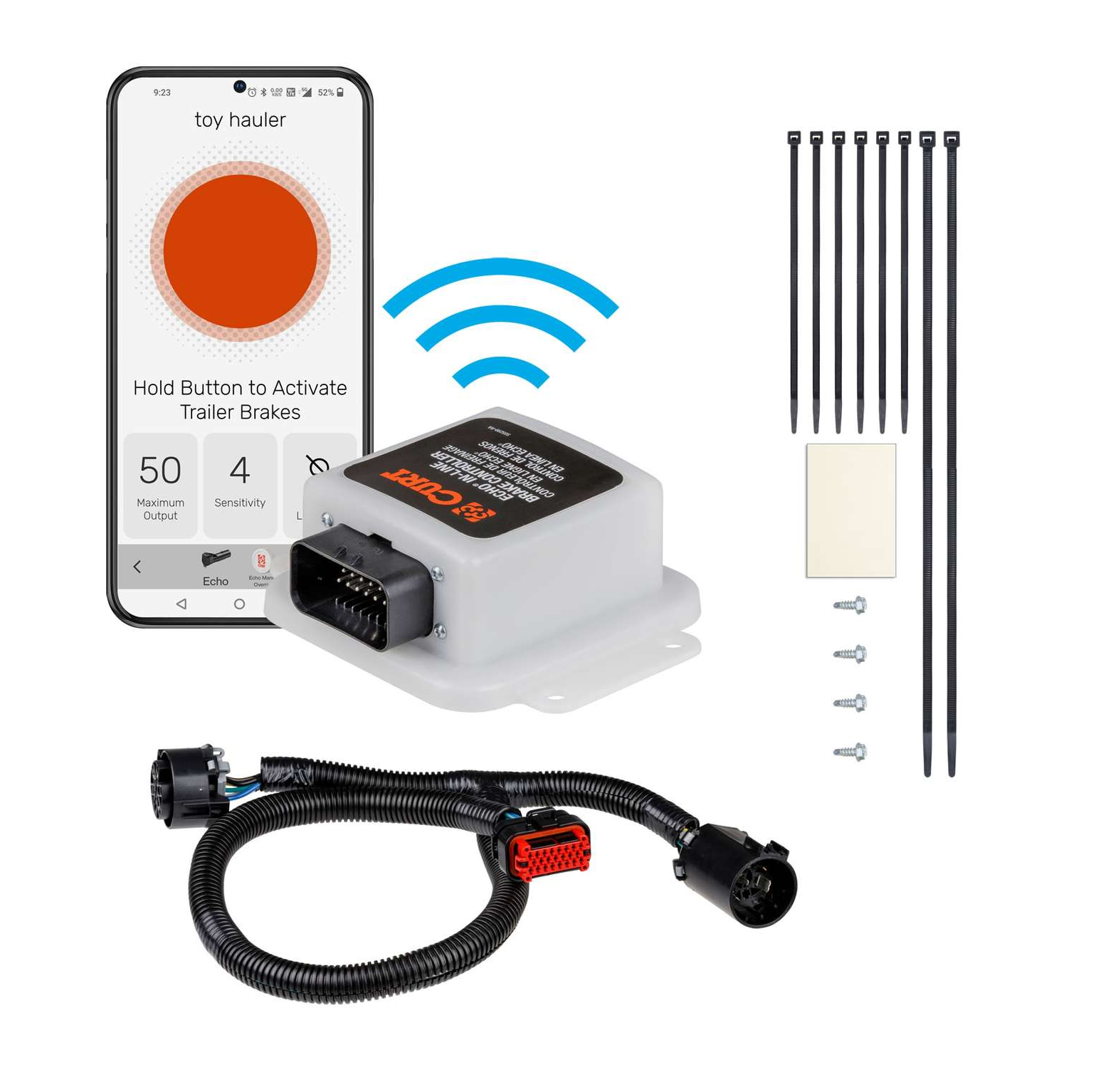
The CURT Echo in-line trailer brake controller is a Bluetooth enabled device that wirelessly connects to your smartphone and allows you to control and monitor all trailer brake activity right from your device. The Echo brake controller brings your towing experience into the modern age. Powered by Bluetooth, it wirelessly connects to your smartphone without any extra modules required. Simply download the Smart Control app on your Apple iOS or Android OS device, plug the Echo into your vehicle behind the existing 7-way RV blade socket and you're ready to start towing (USCAR connection required). The app allows you to create multiple trailer profiles for different towing situations. The CURT Echo in-line brake controller operates with a tri-axis circuit for smooth stops going up or down a hill, and it is able to operate up to two to eight trailer brakes at a time (one to four axles). It is also compatible with cruise control and ABS brakes.

CURT offers a variety of high-quality trailer hitches and accessories for select vehicle models. Find the perfect fit for your towing needs at TowUniverse.
CURT, a Lippert brand, offers a complete line of towing products and is the leading manufacturer of custom-fit trailer hitches. We offer the broadest selection of custom-fit hitches, and each one is designed, welded, and coated in Wisconsin.
CURT is also a leader in flat towing products, as well as 5th wheel, gooseneck, and weight distribution hitches, ball mounts, electrical components, cargo solutions, and other towing accessories.
For everything from passenger cars and vans to full-size pickups and SUVs, CURT is 'The First Name in Towing Products®.'
Experts available to answer your questions
Call 888-634-94941 compatible vehicles
| Year | Make & Model | Notes |
|---|---|---|
| 2022 - 2024 | Ford F-150 Lightning | — |
The 2022-2024 Ford F-150 Lightning CURT Echo In-Line Bluetooth Trailer Brake Controller (Part #51200-66) fits 2022-2024 Ford F-150 Lightning models. The 2024 model year is the last year covered by this part number. For newer models, check for an updated version.
Yes, the 2022-2024 Ford F-150 Lightning CURT Echo In-Line Bluetooth Trailer Brake Controller (Part #51200-66) is designed to fit the 2022-2024 Ford F-150 Lightning.
The 2022-2024 Ford F-150 Lightning CURT Echo In-Line Bluetooth Trailer Brake Controller (Part #51200-66) fits the following vehicles: 2022-2024 Ford F-150 Lightning. Always verify your specific year, make, and model before ordering.
The 2022-2024 Ford F-150 Lightning CURT Echo In-Line Bluetooth Trailer Brake Controller (Part #51200-66) Refer to the included instructions for installation details. Basic hand tools are typically all you need.
The CURT Echo 51200 is an in-line trailer brake controller that connects between your vehicle's 7-way electrical trailer connection and your trailer. It uses Bluetooth to communicate with a mobile app (OneControl® Auto) on your smartphone, allowing you to monitor and control trailer braking through manual override, automatic braking response, and adjustable sensitivity settings. The device mounts to your vehicle and controls brake output to your trailer.
The Echo 51200 is compatible with vehicles that have a 7-way electrical trailer connection (USCAR plug). The manual does not specify which vehicle years, makes, or models are compatible or incompatible. Contact CURT Manufacturing at 877.287.8634 or visit curtmfg.com to confirm compatibility with your specific vehicle before purchasing.
No, the Echo 51200 is not compatible with Apple CarPlay or Android Auto. However, the manual states it will not interfere with these features. The Echo uses its own mobile app (OneControl® Auto) for Bluetooth control, which must be downloaded separately from the App Store or Google Play.
The package includes: (1) main module, (1) main module adhesive pad, (1) wiring harness, (6) six-inch zip ties, (2) fourteen-and-a-half-inch zip ties, and (4) self-tapping screws.
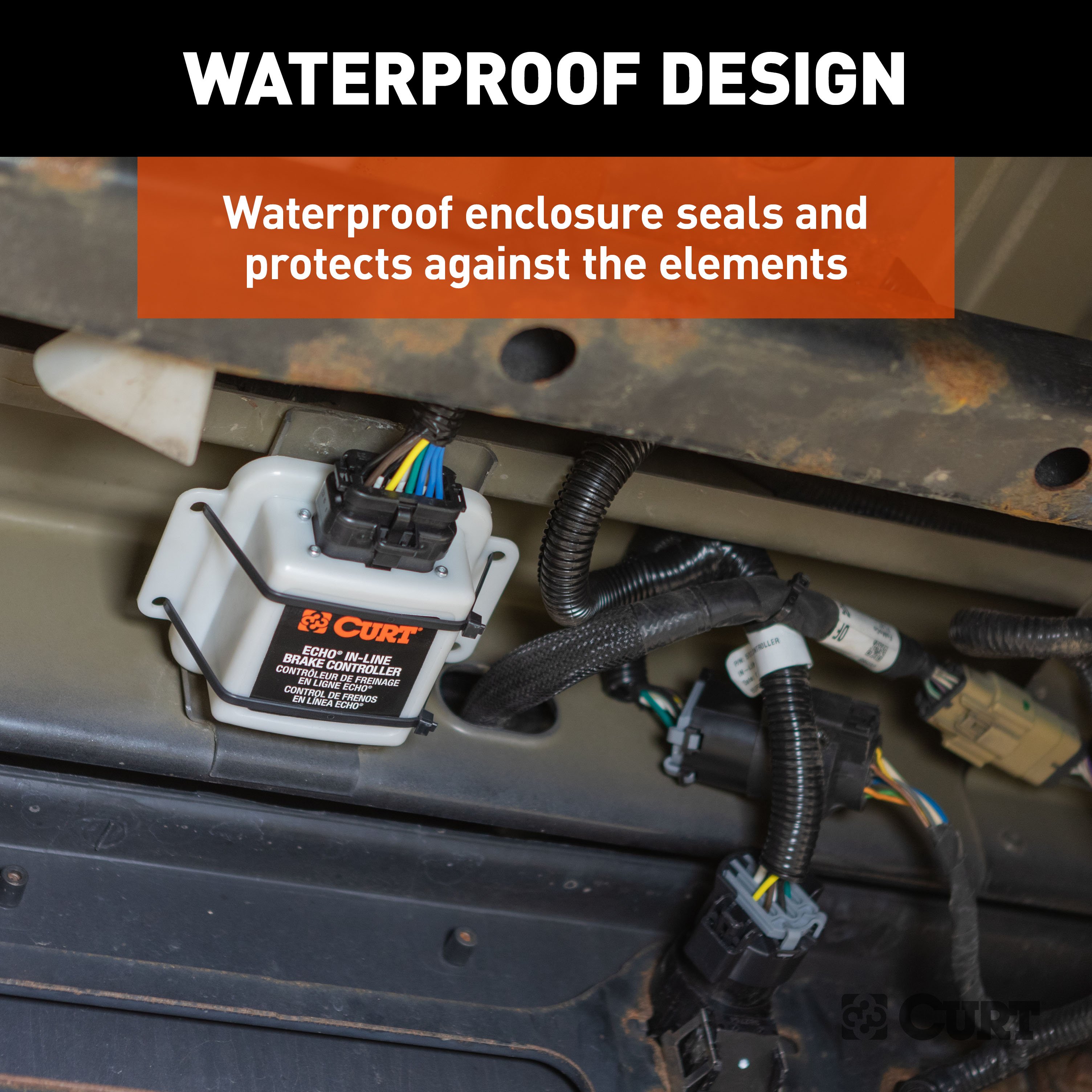
Mount the main module in a location that is sheltered from road debris. The unit can be mounted in any orientation, but it must be mounted in a solid location so no movement between the unit and the mounting surface can be felt. Do not mount the Echo near the exhaust pipe, as failure to do so may result in heat damage, loss of functionality, and risk of fire. Clean all dirt and debris from the mounting surface before installation.
1. Locate the vehicle's 7-way electrical trailer connection at the rear of the vehicle. 2. If the connection has a light grey external lock (USCAR connector), slide the lock to the rear or towards the wires to access the 7-way. 3. Push the USCAR plug in towards the 7-way while pressing the connector lock until you feel a click, then pull out or away from the 7-way. 4. Install the T end of the harness between the USCAR factory wiring harness and the vehicle 7-way. 5. Install the Echo in-line harness connection into the main module port. Note: Some 7-way connections must be accessed from behind the vehicle bumper. The age and use of the vehicle can make this connection harder to remove.
Clean all dirt and debris from the mounting surface. Using the double-sided adhesive pad provided, apply the Echo in-line to the mounting surface. Use the self-tapping screws or the provided zip ties to firmly secure the Echo unit to the mounting surface. Before using self-tapping screws, check for miscellaneous items that may be hidden behind or under any surface to avoid damage and personal injury. The unit must be mounted firmly with no movement between the unit and the mounting surface.
Using the provided zip ties, secure any excess wire harness and factory wiring to prevent snags and unwanted wear on electrical items.
No. The manual explicitly states that pairing of the app to the Echo device will happen within the app. The device should not be paired within the smartphone's Bluetooth settings menu. Enable Bluetooth in your mobile device settings to allow detection, but complete the pairing process through the OneControl® Auto app.
The six-digit PIN is used to pair your smartphone with the Echo brake controller via the OneControl® Auto app. The PIN is found on the bottom of the brake controller unit or on the provided quick reference card. You will be prompted to enter this PIN during the Bluetooth pairing process in the app.
The OneControl® Auto app requires iOS 14 or higher for Apple devices, or Android 9.0 or higher for Android devices. Bluetooth must be enabled on your device for pairing to occur. The app is available in the App Store or Google Play.
The Echo is designed to provide a Bluetooth connection without obstructions up to 50 feet. Connection may also be limited by the Bluetooth signal of your device.
No. The manual states: avoid distracted driving and only make adjustments when the vehicle is stationary. Output and sensitivity adjustments should only be made while stopped, with the transmission in park or neutral, parking brake applied, foot off the brake pedal, and no manual control actuation. Please adhere to all applicable traffic laws and motor vehicle safety regulations, including all laws prohibiting the use of handheld devices while operating a motor vehicle.
Yes. The Echo app must be operating in the foreground of your cell phone applications. Operating the app in the background may cause delays in braking response when using the manual override button.
Prior to driving, test all trailer lights while the trailer is plugged into the Echo. This ensures all lights are functioning correctly before towing.
Do not mount the Echo near the exhaust pipe. Failure to do so may result in heat damage, loss of functionality, and risk of fire.
The single LED on top of the Echo shows the status of the brake controller: Flashing blue = device not paired, no trailer connected; Solid blue = device paired, no trailer connected; Flashing yellow = calibrating Echo; Flashing green = device not paired, trailer connected; Solid green = device paired, trailer connected; Flashing red = wiring error; Solid red = hardware fault; No light = no power. If the LED is red at any moment during setup, stop and refer to the Troubleshooting Guide.
1. Perform tests in a safe environment (parking lot or minimal traffic area). 2. Start with output adjustment: drive forward on a dry, level paved or concrete surface at approximately 25 mph and apply the vehicle's brakes. If trailer braking is insufficient, increase the max output setting in the app. If trailer brakes lock up, decrease the max output. Repeat until stops are firm, just short of lock up. 3. Once output is set, adjust sensitivity by driving at approximately 25 mph and pressing the brake pedal. If the stop seems slow, increase sensitivity. If too aggressive, decrease sensitivity. 4. Make several stops at various speeds and adjust until stops are smooth and firm. Slight output adjustment may also be required. This process must be repeated if there are changes to weather, road conditions, or significant changes in trailer weight or towing setup.
Max output establishes the maximum level of brake controller power and determines the maximum amount of power available to the trailer brakes when braking. Sensitivity adjusts how aggressively the trailer brakes respond when activated during braking. Both settings can be adjusted in the OneControl® Auto app using '+' or '–' buttons. Output and sensitivity should be adjusted during initial setup, when trailer load changes, when different trailers are used, or when adjustment is needed for changing road or driving conditions. Sensitivity adjustment has no effect on manual brake control.
Manual brake activation allows you to apply trailer brakes independently of vehicle braking. Press and hold the orange button in the OneControl® Auto app to activate manual braking. Manual brake controller activation is used in situations where a slow reduction in speed is desirable. As the manual control is activated, the Echo begins to apply the trailer brakes. The orange outer ring in the app indicates the current brake output level.
When the vehicle's hazard lights are activated, the trailer brakes may pulse on and off as the lights flash. To prevent pulsing brake output, toggle the Vehicle Hazard Lights switch ON in the app any time the vehicle's hazard lights are active.
Yes. Setting configuration is required when trailer conditions change or if the brake controller is being used for a different trailer or vehicle. The output and sensitivity adjustment process must be repeated if there are any changes to weather, road conditions, or significant changes in trailer weight or towing setup. You can create and save profiles for multiple vehicles, trailers, and load conditions in the OneControl® Auto app.
Yes. You can create and save profiles for multiple vehicles, trailers, and load conditions. The app allows you to access the five most recently used settings, which are stored within the Echo device. You can switch between different profiles by swiping left or right on the active controller profile on the home screen. This allows you or others who borrow your Echo to access pre-configured tow settings quickly and easily.
The Echo 51200 is compatible with vehicles that have a 7-way electrical trailer connection (USCAR plug). Confirm your vehicle has this connection before purchasing. Contact CURT at 877.287.8634 or visit curtmfg.com for specific vehicle compatibility.
The package includes the main module, adhesive pad, wiring harness, six 6-inch zip ties, two 14.5-inch zip ties, and four self-tapping screws. No additional hardware is required for basic installation.
No drilling is required. The main module mounts using a double-sided adhesive pad and can be additionally secured with the provided self-tapping screws or zip ties. Check for hidden items before using self-tapping screws.
Yes, the Echo in-line can be mounted in any orientation, but it must be mounted in a solid location with no movement between the unit and the mounting surface. Do not mount near the exhaust pipe.
You need a smartphone with iOS 14+ (Apple) or Android 9.0+ (Android) and Bluetooth capability. Download the OneControl® Auto app from the App Store or Google Play.
No. Only adjust settings when the vehicle is stationary, transmission in park or neutral, parking brake applied, and foot off the brake pedal. Avoid distracted driving and follow all traffic laws.
Test all trailer lights while the trailer is plugged into the Echo before driving. Do not mount the unit near the exhaust pipe.
Solid blue means the device is paired with your smartphone but no trailer is currently connected. Once you connect a trailer, the LED will turn solid green.
In a safe environment at approximately 25 mph, apply the brakes and adjust max output until stops are firm without lock-up. Then adjust sensitivity until stops are smooth. Repeat if trailer weight or conditions change.
No light indicates no power to the brake controller or no ground on the vehicle 7-way. Check vehicle power and ground wiring. If a trailer is not available, the CURT 7-way tester #58272 may be used to complete setup and troubleshooting.
Solid red for more than 10 seconds indicates a hardware fault. Contact CURT Product Support at 877.287.8634.
Flashing red indicates a wiring error. Possible causes and solutions: (1) Contamination in trailer plug socket—check for clean and dry trailer plug; (2) Short in trailer brake wiring—locate and correct short; (3) Accelerometer error—unplug the brake controller and plug it back in; (4) Short or overload in trailer brakes—troubleshoot trailer brake circuit per brake manufacturer's instructions.
Check the following: (1) No power to brake controller or no ground on vehicle 7-way—check Echo LED status for power; (2) Invalid Bluetooth PIN—input PIN from label or quick reference card; (3) Bluetooth not enabled—enable Bluetooth or grant permissions; (4) Smartphone incompatibility—check smartphone compatibility (iOS 14+ or Android 9.0+). If the issue persists, reset the Bluetooth connection by selecting the Echo device name, tapping the trash can icon to remove it, then in OS Settings go to Bluetooth connections and 'forget the device'.
Possible causes and solutions: (1) Mis-wired 7-way connector—confirm vehicle and trailer 7-way connections; (2) Improper or corroded trailer wiring—confirm connections; (3) Weak or missing ground—confirm vehicle and trailer 7-way connections.
This indicates loss of trailer connection, unplugged connection, or bad wiring. Confirm vehicle and trailer 7-way connections are secure and properly wired.
Possible causes and solutions: (1) Mis-wired 7-way connector—confirm vehicle and trailer 7-way connections; (2) Improper or corroded trailer wiring—confirm connections; (3) No or intermittent power to controller—check power; (4) Weak or missing ground—confirm connections; (5) Wireless connectivity error—check Bluetooth and application settings.
Possible causes and solutions: (1) Weak or missing ground—confirm vehicle and trailer 7-way connections; (2) Improper max power or sensitivity settings—check Bluetooth and application settings, increase max power or sensitivity settings; (3) Improper or corroded trailer wiring—confirm connections.
This indicates a mis-wired 7-way trailer connector. Confirm vehicle and trailer 7-way connections are properly wired.
Low voltage indicates a low battery voltage condition. Check vehicle battery and replace if needed. Also confirm vehicle 7-way connections and wiring are secure.
Overload indicates the trailer brakes are overloaded. Reconnect the trailer connector and confirm vehicle 7-way connections and wiring. Check trailer brake wiring for short circuits.

Total for 2 items:
$495.94
Free Shipping
Ships free on all orders
 Authorized Dealer

Quick Ship
In stock and ready to ship — order now!
FREE ShippingFREE SHIPPING
Estimated delivery Wed, Sep 23 - Sat, Sep 26
Order before 2 PM EST Monday–Friday for same-day processing
Guaranteed safe & secure checkout
No reviews have been added for this product.