

Lippert Tire Linc RV Tire Pressure & Temperature Monitoring System (TPMS) #2020106863Lippert$360.95Out of Stock
View productOur in-house experts typically reply within one business day.

Lippert
Type



Always the correct part
We know our products
Quality Products
Free Shipping!
Always the correct part
We know our products
Quality Products
Free Shipping!
57009
Genuine Lippert Replacement Part
Finish: BLACK PLASTIC
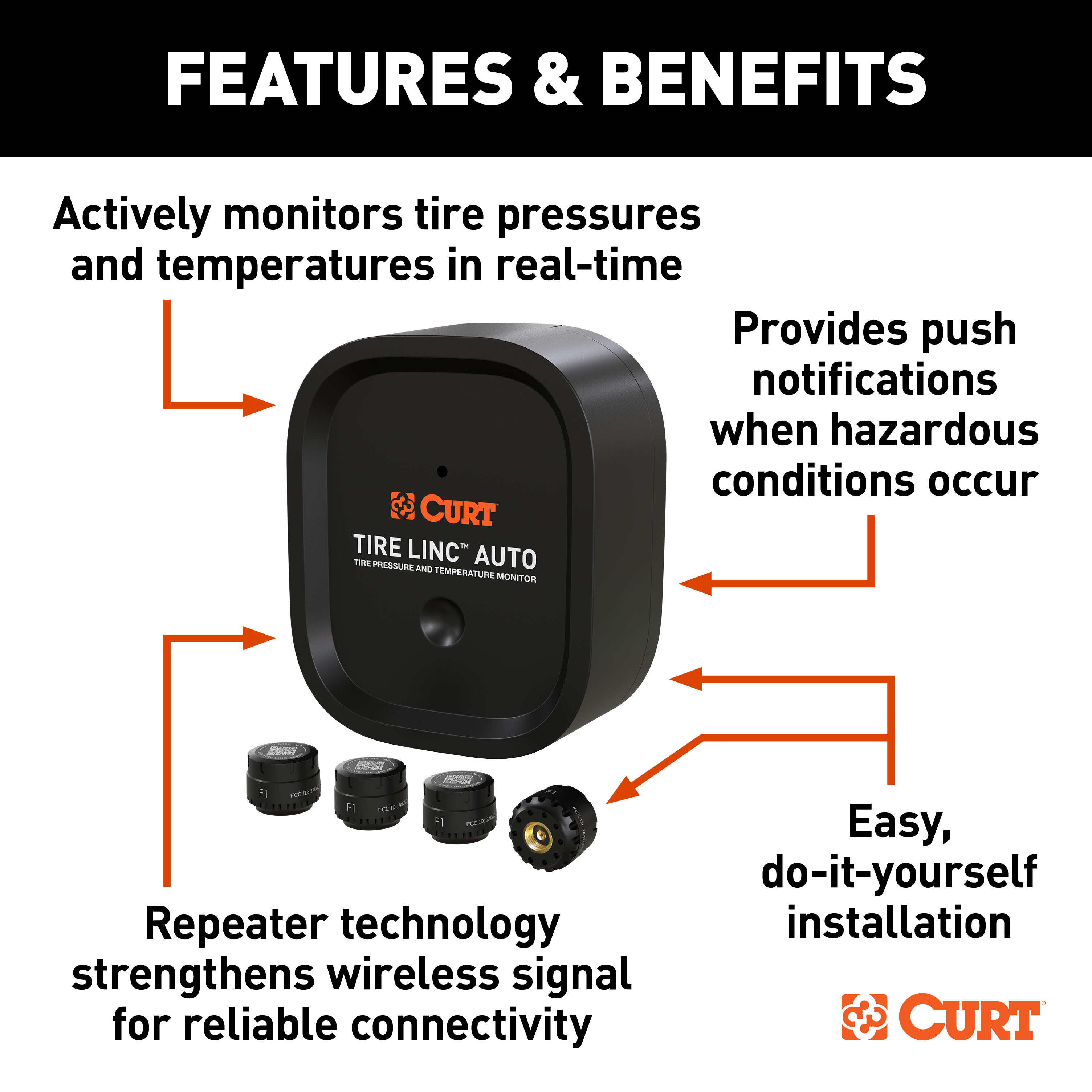
The Tire Linc Auto TPMS system, developed by CURT, ensures your safety and convenience while towing by monitoring your trailer's tire pressure and temperature in real-time. With this advanced technology, you can avoid the hazards of towing with underinflated or overinflated tires, saving you the hassle of manual checks before, during and after towing. Tire Linc notifies you directly on your smartphone about the temperature and pressure of your tires as you tow, keeping you informed and helping you prevent a dangerous blowout. Our powerful technology lets you monitor up to 20 tires simultaneously, making it the ideal solution for large enclosed trailers, boat trailers, and agricultural or utility trailers. The TPMS technology seamlessly integrates with the CURT OneControl® app and provides real-time notifications on tire status to your smartphone. The need for multiple monitors or displays is eliminated, streamlining the monitoring experience. The system is easy to set up: simply plug in your repeater to the dock, screw the Tire Linc sensors onto the valves and link your system to the OneControl app. You can personalize your preferred tire ranges within the app, putting you in complete control of your tire monitoring. Tire Linc is engineered with advanced repeater technology to ensure that your smartphone always receives the most current information with a strong connection. The system comes with four sensors and repeater and dock assemblies. The Alert Indicator and additional sensors are optional add-ons. As a leading supplier of premier towing products, CURT is dedicated to improving your towing experience with top-quality products. Our team is constantly working to develop new and innovative solutions to enhance your towing experience. Trust Tire Linc for reliable connectivity, and stay informed, confident, and safe on the road.

Lippert is a global manufacturer and supplier of engineered components for the RV, marine, automotive, commercial vehicle and building products industries. Its aftermarket range spans chassis and axles, suspension, automated leveling systems, slide-out mechanisms, entry steps, awnings, furniture and towing products, sold both as original equipment and as upgrades for existing vehicles.
Lippert is one of the largest suppliers of engineered components to the recreational vehicle industry and a substantial presence in marine, automotive, commercial vehicle and building products as well. If you own a travel trailer or fifth wheel, a considerable share of what sits beneath and inside it is likely to carry a Lippert part number, from the frame the unit is built on through to the furniture in the living area. That breadth is the defining fact about the company, and it is also why its aftermarket business matters: the same engineering that supplied the original equipment supports it years later.
Chassis and running gear form the foundation. Lippert supplies spring and torsion axles for cargo, horse and utility trailers, together with suspension systems, equalizers, shackles and the components that wear out and get replaced over a trailer's life.
Automated systems are where the brand is most visible to owners. Power leveling systems bring a coach level at the touch of a button, and the wider leveling and stabilisation range covers manual jacks and stabilisers as well. Slide-out mechanisms, motors and seals keep living space extending and retracting reliably, and motorized entry steps replace folding steps with powered assemblies that deploy with the door.
Outdoor living is covered by patio and window awnings, slide toppers, screen rooms and shade accessories. On the towing side, Lippert manufactures American-made custom-fit hitches and a full line of towing products, and its marine division produces boating furniture, glass and shade systems in the United States.
The company operates as a house of brands, with names including CURT, UWS, Luverne, Ranch Hand, Furrion, Solera, Thomas Payne, Taylor Made, Lewmar and SureShade sitting under it, each retaining its own engineering focus.
Experts available to answer your questions
Call 888-634-9494One-Year Limited
The Tire Linc™ Auto is a tire pressure and temperature monitoring system for trailers. It consists of a repeater unit that receives real-time data from stem sensors installed on each tire, and displays tire pressures, temperatures, and visual alerts through the OneControl® Auto smartphone app. The system monitors operating pressures from 0 to 188 PSI and temperatures from −58°F to 401°F (−50°C to 205°C).
The Tire Linc™ Auto is designed for utility trailers, boat trailers, gooseneck trailers, and 5th wheel trailers. The system can accommodate trailers with multiple axles and varying tire configurations (2 or 4 wheels per axle, and up to three axles or more).
The package includes: 1 repeater unit, 1 repeater mounting plate, 1 stem sensor tool, 4 stem sensors, 1 lock nut wrench, 4 stem sensor O-rings, 4 lock nuts for tire stems, 1 USB charging cable, 1 pigtail charging cable for 12V splice-in power, 1 120V wall charger, and 4 mounting screws (T-10 head, #8 x 1"). Additional sensors can be purchased separately (CURT part# 57011).
Yes. The system can be configured for trailers with multiple axles and varying tire configurations. During app setup, you define the number of axles and select 2 or 4 wheels for each axle, and can continue this process for additional axles beyond the first three shown in the example.
Yes. Additional stem sensors can be purchased separately (CURT part# 57011). You can pair additional sensors to the repeater by following the pairing process in the app.
Required tools are: OneControl® Auto app (downloaded to iOS or Android smartphone), wire stripper, cordless or electric drill or screw gun, appropriate electrical connectors, drill, T-10 drive bit, and #29 drill bit. Safety glasses should be worn at all times during installation.
Yes, it is recommended to pre-drill mounting holes using a #29 drill bit before installing the mounting plate. This helps avoid damaging the T-10 head screws during installation.
The repeater should be charged for a minimum of four hours prior to initial pairing. It is recommended to fully charge the device battery to 100%. If the repeater battery is below 25%, pairing of the repeater could be disrupted.
The recommended charging temperature is between 50°F and 113°F (10°C to 45°C). Charging below 50°F (10°C) will be 50% slower and is not possible below 32°F (0°C). These limits are in place to protect the life of the battery.
Yes. Ensure the trailer tires are filled to the proper PSI (listed on the side of each tire) prior to installation.
Mount the repeater on the trailer frame, exterior trailer wall, or inside a trailer compartment as low, forward, and centered to the tow vehicle as possible to avoid damage. The repeater should be mounted in a location where it is easily accessible and can be removed. It is recommended to have the repeater facing forward, towards the cab of the truck, for best wireless connectivity. Avoid mounting the plate too close to the trailer frame or other obstructions, as this may make it difficult or impossible to remove.
Vertically orient the mounting plate and secure it to a flat surface of the trailer with four self-drilling T-10 head screws, #8 x 1". It is recommended to pre-drill mounting holes using a #29 drill bit to avoid damaging the screws. Do not overtighten screws.
Slide the repeater into the mounting plate using the T-channel on the back of the repeater. Slide the repeater down the mounting plate until engaged with the mounting plate tab. A 'click' will be heard as the tab is engaged with the repeater. To disconnect, push the tab rearward toward the trailer to release the repeater, then slide the repeater away from the tab to disengage and separate from the mounting plate.
The system offers two power options: (1) Continuous 12V power harness, which includes a splice-in pigtail cable for 12V power supply from the trailer's electrical system, or (2) Portable battery powered with the included USB charging cable and 120V wall-charging brick.
For splice-in installation, make sure the power to the trailer is off. Screw in the terminal end into the repeater's power connector port. Connect the charging harness's red power wire and black ground wire to the trailer's power and ground as shown in the manual images. Locate a mounting area that allows connection without creating strain on the completed connection.
Download the OneControl® Auto app from the Apple App Store (for iPhone and iPad) or Google Play (for Android devices). Launch the app, read and agree to the license agreement, and follow the prompts to connect to an existing account or create a new account if this is your first OneControl® Auto device.
After the battery is fully charged, tap the CTF (capacitive touch function) button on the front of the device to 'wake' it up. The repeater will power on and the FI (Function Indicator) LED will illuminate red for 5 seconds to indicate the repeater has power.
From the OneControl® Auto Home Page, select 'Pair Device' under the Tire Linc™ icon. On the 'Devices Found' screen, the app will display available repeaters in range. If there is more than one in close proximity, select the device ID with the decibel (−db) value closest to 0. Select and tap the desired device ID and then tap the 'Connect' button. Once pairing is successful, a notification will appear stating the process is complete.
Under the Tire Linc™ icon, select 'Open' and then 'Set-Up' to begin the tire sensor pairing process. Tap 'Setup Vehicle' and identify the front or first row axle tire quantity (2 or 4 wheels), then repeat for all additional axles on the trailer. Once all axle and tire quantities are defined, select 'Confirm' to proceed to the 'Pair Sensors' page. If an error is made, select 'Setup Vehicle Axle' to go back one screen and reconfigure. If 'Confirm' has already been selected and a change is needed, the repeater will need to be factory reset.
With the 'Pair Sensors' screen active, have the stem sensors available and remove any existing stem caps from the tires. (1) Tap the tire you'd like to pair in the app. (2) Tap 'Connect'—do NOT have the tire sensor screwed on prior to selecting this button. (3) Screw on and fully tighten the tire sensor. It may take up to 90 seconds for the sensor to awake and be found. If not seen within 90 seconds, unscrew the sensor, wait approximately 10 seconds, and reinstall it. Do NOT proceed to install other sensors until the app shows the sensor found. (4) After the sensor is found, proceed to the next tire and repeat until all sensors are paired.
Yes. If using the lock nuts as a theft deterrent, add the lock nuts to the tire stems but make sure there is room to add the sensors. Lock nuts will be tightened later. The lock nuts are optional and are not required to be installed. When removing sensors for battery replacement, use the supplied wrench to hold the lock nut while unscrewing the sensor from the tire stem.
If the sensor is not found within 90 seconds, unscrew the sensor from the tire stem, wait approximately 10 seconds, and then reinstall the sensor. Do NOT proceed to install any other sensors until the app shows the sensor found. Ensure the repeater is stationary for more than 60 seconds and tire sensors are stationary for more than 10 minutes before attempting pairing.
Operating temperature range: 14°F to 122°F (−10°C to 50°C). Repeater charging temperature: 50°F to 113°F (10°C to 45°C). Measurement temperature range: −58°F to 401°F (−50°C to 205°C) with temperature accuracy of ±5.4°F (±3°C). Operating pressure: 0 to 188 PSI. Measurement pressure: 0 to 188 PSI.
The repeater has an IP67 rating. The tire sensors exceed IP67 rating.
Battery life depends on operating temperature and usage: At ideal conditions (73°F / 23°C), approximately 5.5 days with 8 hours of use per day. At high temperature (122°F / 50°C), approximately 5 days with 8 hours of use per day. At low temperature (14°F / −10°C), approximately 3 days with 8 hours of use per day.
Safety glasses should be worn at all times while installing this product. Only use the adapter supplied with this product; use of unauthorized adapter may cause fire, serious injury or product and property damage. Do not overtighten mounting screws. Ensure the repeater is stationary for more than 60 seconds and tire sensors are stationary for more than 10 minutes before pairing. Failure to correctly follow the provided instructions may result in death, serious personal injury, severe product and/or property damage, including voiding of the CURT limited warranty.
The product contains a lithium rechargeable battery. Do not dispose in trash. Recycle or return to an authorized dealer for disposal. Do not incinerate.
Periodic inspection of the trailer hitch system should be performed to ensure all mounting hardware remains tight and structural components are secure. Verify that the repeater is securely engaged with the mounting plate (you should hear a 'click'). Confirm that all tire sensors are fully tightened onto the tire stems. Check that the app displays all tire pressures and temperatures correctly and that the repeater is communicating with your smartphone.
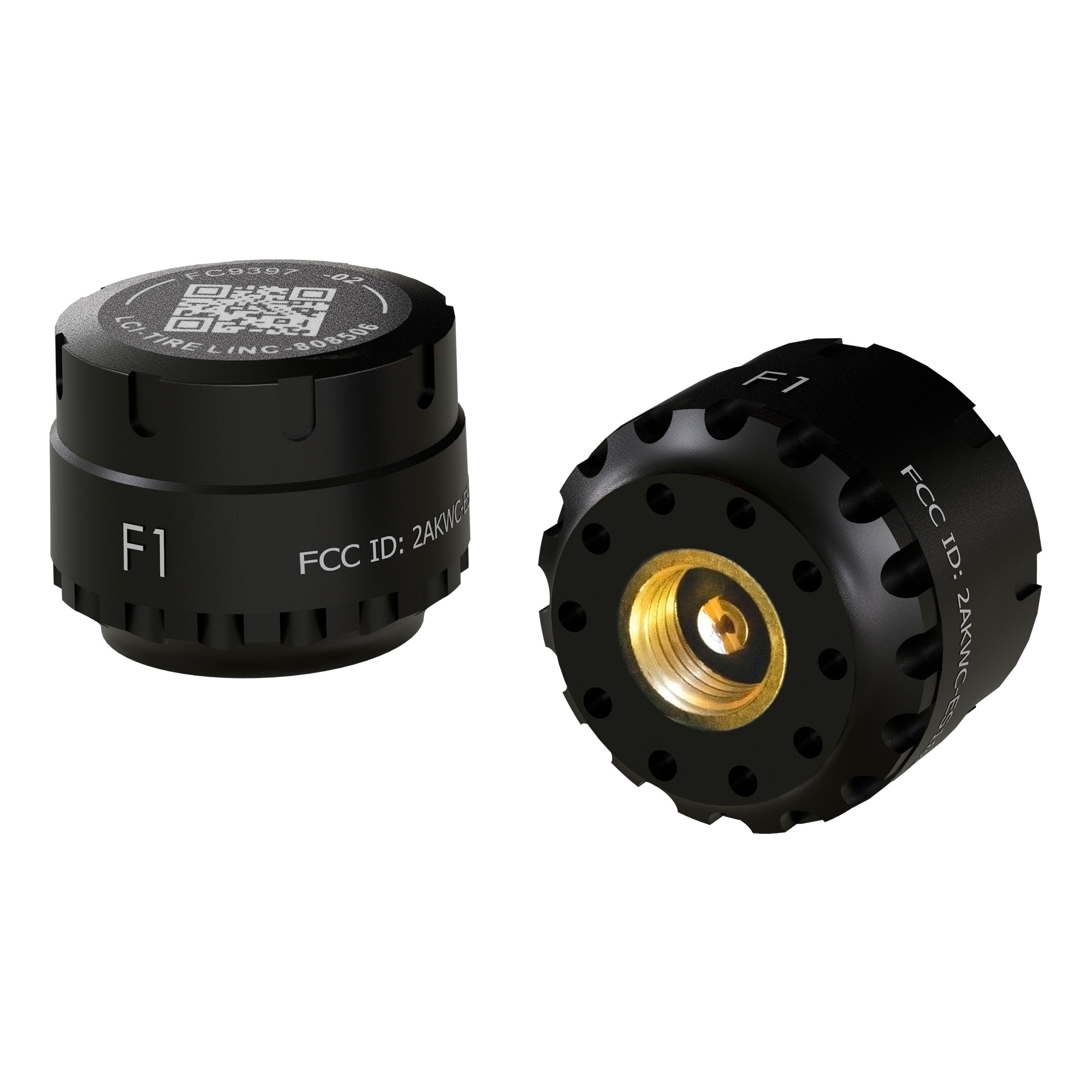
Remove the stem sensor from the tire stem. Using the included stem sensor tool (which separates into two pieces), unscrew the top cap of the stem sensor to expose the battery. Replace the battery with a CR1632 3V lithium coin battery. Replace the supplied stem sensor O-ring when replacing the battery. Replacement batteries are not included with the product.
The stem sensor tool is comprised of two pieces molded to match the tops and bottoms of the stem sensors. Slightly rotate the pieces opposite of each other and then carefully pry them apart to separate. One piece is used on top of the stem sensor and one piece is used on the bottom. Using the tool with a piece on top and a piece on the bottom of the stem sensor, unscrew the top cap to expose the battery.
The tire sensors use a CR1632 3V lithium coin battery. Replacement batteries are not included with the product.
Periodic inspection of the trailer hitch system should be performed to ensure all mounting hardware remains tight and structural components are secure. The manual does not specify an exact interval, but regular checks are recommended to maintain system integrity.
By tapping an individual tire in the app, the 'Tire Configuration' page will display. Here you can adjust tire sensor settings individually. Configurable settings include: (A) Minimum Pressure—configure the desired minimum PSI before alert is activated (typically the lower PSI value listed on tires). (B) Maximum Pressure—configure the desired maximum PSI before alert is activated (typically the higher PSI value listed on tires). (C) Maximum Temperature—configure the maximum temperature before alert is activated; the app defaults to 150°F. (D) Maximum Temperature Change Limit—the app defaults to 60°F. To adjust all tire sensor settings at one time, select the 'Configure All Sensors' menu on the Tire Linc™ main screen.
Step 1: Tap the CTF button to wake up the repeater; the LED will illuminate for 5 seconds. Step 2: While the LED is still illuminated, quickly tap and hold the CTF button without releasing. The LED will turn off and then begin flashing 4 times slowly, followed by a steady rapid flash. Once the rapid flash is seen, release the CTF button and tap it again to initiate reset. Step 3: The LED will begin to flash 10 times as it completes the factory reset. When complete, the LED will turn off. The reset process takes approximately 30 seconds. Verify success by opening the Tire Linc app; it should display a 'Setup Vehicle' button.
Yes, the Tire Linc™ Auto is compatible with utility trailers, boat trailers, gooseneck trailers, and 5th wheel trailers with multiple axles and varying tire configurations.
Required tools: OneControl® Auto app, wire stripper, cordless/electric drill or screw gun, appropriate electrical connectors, drill, T-10 drive bit, and #29 drill bit. Safety glasses should be worn at all times.
The repeater should be charged for a minimum of four hours prior to initial pairing. It is recommended to fully charge to 100%.
Yes. It is recommended to pre-drill mounting holes using a #29 drill bit before installing the mounting plate with four T-10 head screws (#8 x 1").
The system offers two power options: portable battery powered with the included USB charging cable and 120V wall charger, or continuous 12V power via a splice-in harness. You can choose either option based on your preference.
Operating temperature: 14°F to 122°F (−10°C to 50°C). Operating pressure: 0 to 188 PSI. Repeater charging temperature: 50°F to 113°F (10°C to 45°C).
Do not dispose in trash. Recycle or return to an authorized dealer for disposal. Do not incinerate.
Tire sensors use a CR1632 3V lithium coin battery. Remove the sensor from the tire stem, use the included stem sensor tool to unscrew the top cap, replace the battery, and replace the O-ring. Replacement batteries are not included.
Check for motion lockout: ensure the repeater is stationary for more than 60 seconds and tire sensors are stationary for more than 10 minutes. If the issue persists, perform a power-on reset by plugging in the 12V harness or charging harness into the power connector. If the repeater has no power via the 12V harness, ensure the harness is not damaged and the power source is on. If the repeater battery is low (below 25%) and not connected to 12V, fully charge it via the charging harness for more than 4 hours. If none of these steps resolve the issue, the repeater may be experiencing a hardware fault; contact customer service.
Check for motion lockout: ensure the repeater is stationary for more than 60 seconds and tire sensors are stationary for more than 10 minutes. If the issue persists, perform a power-on reset by plugging in the 12V or charging harness into the power connector. If the smart device connection to the repeater is poor, move the repeater to a more ideal location using the RSSI reading from the app. Ensure the repeater battery is not low (below 25%); if it is, fully charge it for more than 4 hours. If the repeater has no power via the 12V harness, ensure the harness is not damaged and the power source is on. If the issue is in-app, close the app (for Android, force stop via app settings) and reopen it. If the problem persists, report the issue to customer service.
The tire sensor connection to the repeater is likely poor. Move the repeater to a more ideal location using the RSSI reading from the app to improve signal strength. If the issue persists, the tire sensor battery may be low; replace the tire sensor battery with a CR1632 3V lithium coin battery.
First, perform a power-on reset by plugging in the 12V or charging harness into the power connector. If the LED pattern persists, the repeater may be experiencing a hardware fault. Contact customer service; you may need to return the repeater and exchange it for a new one.
If the wrong sequence of wheels was chosen during setup and the 'Confirm' button has not yet been selected, select 'Setup Vehicle Axle' to go back one screen and reconfigure. If 'Confirm' has already been selected, the repeater will need to be factory reset. Perform a factory reset by waking the repeater (tap CTF button), then while the LED is illuminated, tap and hold the CTF button until the LED flashes rapidly, release, tap again, and wait for the LED to flash 10 times and turn off. The reset takes approximately 30 seconds.
Ensure the tire sensor is tightly screwed onto the tire stem and that the lock nut (if used) is tightly screwed onto the tire stem. If the sensor is loose, tighten it. If the sensor is tight but still reporting incorrect pressure, the tire sensor may be faulted. Contact customer service; you may need to return the sensor and exchange it for a new one.
First, wake the repeater by pressing the CTF button, plugging in the 12V or charging harness, or moving the repeater. If the repeater is asleep, it will not communicate with the app. If the repeater is awake but the app still cannot connect, the smart device connection to the repeater may be poor; move the repeater to a more ideal location using the RSSI reading from the app and ensure the latest version of the OneControl® Auto app is installed. If the repeater battery is low (battery-only mode), fully charge it by charging for more than 4 hours.
The mounting plate or repeater enclosure may be defective. Contact customer service; you may need to return the mounting plate or repeater and exchange it for a new one.
The repeater battery may be low (below 25%). Fully charge the repeater by charging for more than 4 hours using the included USB charging cable and 120V wall charger. If the repeater still has no power after charging, it may be experiencing a hardware fault. Contact customer service; you may need to return the repeater and exchange it for a new one.
Ensure the 12V harness is not damaged and the power source is on. Inspect the 12V harness connection to the trailer 12V power and ensure the polarity is correct (red wire to positive, black wire to ground). If the harness is connected correctly and the power source is on but the repeater still has no power, the repeater may be experiencing a hardware fault. Contact customer service; you may need to return the repeater and exchange it for a new one.
On Sale Today
Original price was $501.95. Current price is $379.95.You save $122.00 (24%)
Free Shipping
Ships free on all orders
 Authorized Dealer
Quick Ship
In stock and ready to ship — order now!
Shipping from Atlanta, GAFREE SHIPPING
Estimated delivery Thu, Sep 24 - Sat, Sep 26
Order before 2 PM EST Monday–Friday for same-day processing
Guaranteed safe & secure checkout
| Part # | Description | Includes |
|---|---|---|
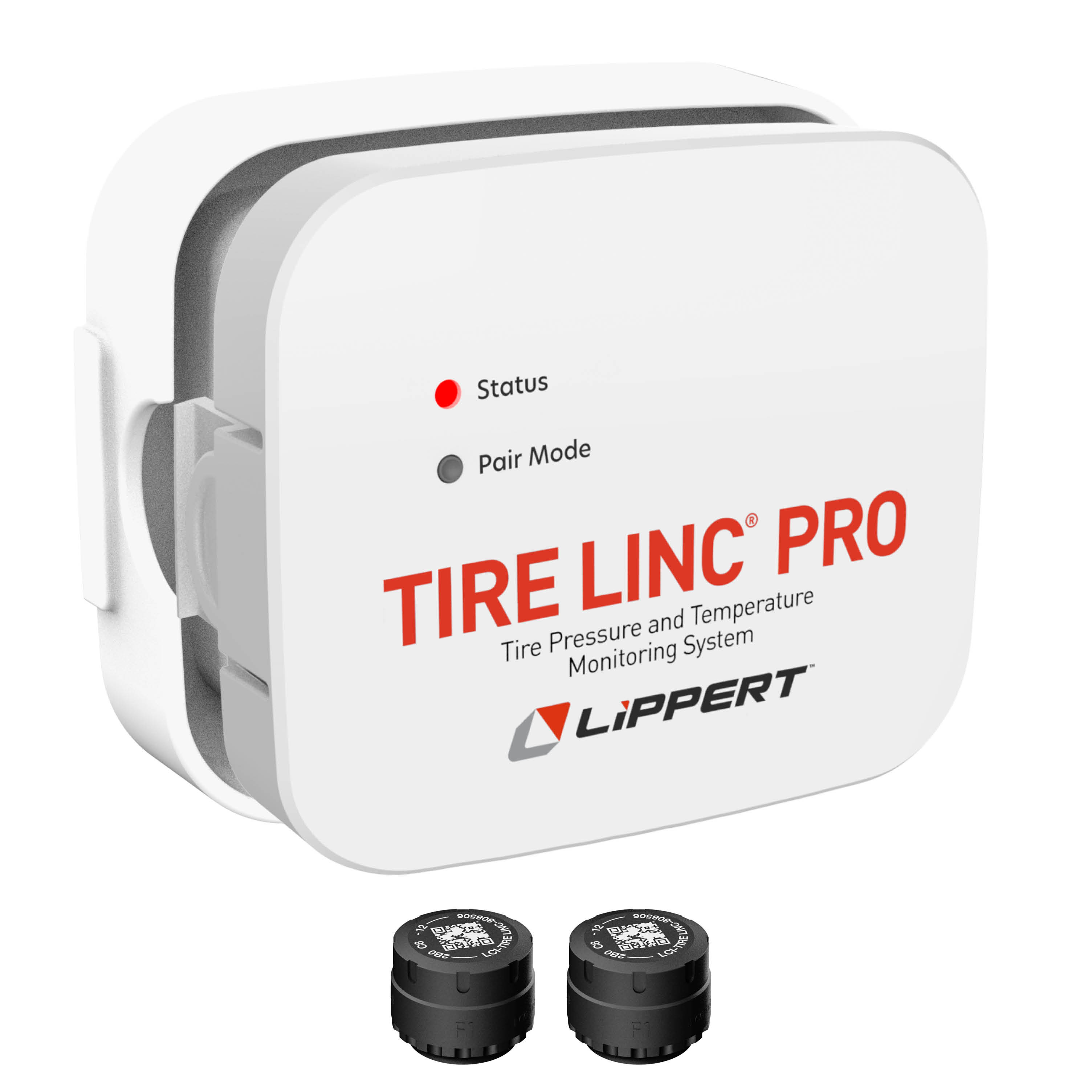
| 57009 | Tire Linc Kit | Repeater, mounting bracket, hardware, four sensors, 120V USB wall charger and splice-in harness |
| 57011 | Tire Linc sensors | Two sensors |
| 57017 | Mounting plate | One mounting plate |
| 57018 | Splice-in charging cable | One splice-in charging cable |
| 57019 | USB charging cable | One USB charging cable |
No reviews have been added for this product.
